Listed from the MCP registry; nobody on Odel publishes it.
Is this yours? Claim it
App Store + Google Play Data
Live App Store and Google Play data: app details, reviews, search, top charts for 175+ storefronts.
One address for any MCP client. No sign-in needed on this server.
What it does
4 read1 other
Grouped by tool name. At most: only reads or looks up information.
What it costs
FreeOdel charges nothing per call. The publisher may charge for its own service.
Tools
5 · grouped by tool name · checked 24 Nov 2026Read · 4Look things up
- search_apps
- get_app
- get_app_reviews
- list_categories
Other · 1Neither hinted nor named
- top_charts
appstore-data-mcp
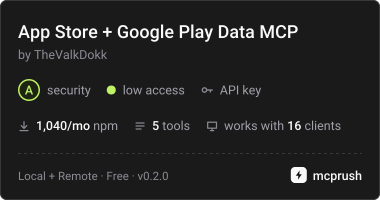
MCP server that gives Claude, Cursor, VS Code, Codex and any other MCP client live data from the Apple App Store and Google Play — app details, reviews, keyword search, top charts and category taxonomies, for 175+ country storefronts.
Powered by the App Store Google Play Data API (free tier: 500 calls/month).
Tools
| Tool | What it does |
|---|---|
search_apps | Keyword search using the store's own relevance ranking; returns ids for the other tools |
get_app | Full metadata for one app — name, developer, rating, price, version, size, screenshots, store URL |
get_app_reviews | Paginated reviews, newest or most-helpful first, with developer replies |
top_charts | Free / paid / grossing / new charts, per country and category |
list_categories | Store category ids and names, for filters and resolving top_charts categories |
Both stores are normalized to the same field names (id, name, developer, rating, …) so the model does not have to learn two schemas.
Setup
- Get a free RapidAPI key: https://rapidapi.com/TheValkDokk/api/app-store-google-play-data-api → subscribe to BASIC → copy
X-RapidAPI-Keyfrom the code snippet. - Add the server to your client with
RAPIDAPI_KEYin the environment.
Claude Code
# key already exported in your shell
claude mcp add appstore-data --scope user -e RAPIDAPI_KEY=$RAPIDAPI_KEY -- npx -y appstore-data-mcp

# or inline the key
claude mcp add appstore-data --scope user -e RAPIDAPI_KEY=<your-rapidapi-key> -- npx -y appstore-data-mcp
Then claude mcp list should report appstore-data: npx -y appstore-data-mcp - ✔ Connected.
A -e value written as ${SOMETHING} is resolved against Claude Code's own environment when it
spawns the server, so -e 'RAPIDAPI_KEY=${RAPIDAPI_KEY}' only works if RAPIDAPI_KEY is exported
in the shell that starts Claude Code. If it is not, claude mcp list warns
Missing environment variables: RAPIDAPI_KEY and tool calls come back as MISSING_CREDENTIALS.
The server itself starts either way — the key is only read at tool-call time.
Claude Desktop
~/Library/Application Support/Claude/claude_desktop_config.json (macOS) or %APPDATA%\Claude\claude_desktop_config.json (Windows):
{
  "mcpServers": {
    "appstore-data": {
      "command": "npx",
      "args": ["-y", "appstore-data-mcp"],
      "env": { "RAPIDAPI_KEY": "your-rapidapi-key" }
    }
  }
}
Cursor
~/.cursor/mcp.json (global) or .cursor/mcp.json (per project) — same mcpServers block as above.
VS Code (Copilot agent mode)
.vscode/mcp.json:
{
  "servers": {
    "appstore-data": {
      "command": "npx",
      "args": ["-y", "appstore-data-mcp"],
      "env": { "RAPIDAPI_KEY": "your-rapidapi-key" }
    }
  }
}
Example prompts
- "Find the top 5 meditation apps in the US and compare their ratings and review counts."
- "What changed in Instagram's iOS reviews over the last 200 entries — any 1-star complaints about the new update?"
- "Which photography apps are top-grossing in Japan right now?"
- "Pull the 25 most recent reviews for
com.spotify.musicin the UK and summarise the complaints."
Hosted endpoint (no install)
A remote copy runs at https://appstore-mcp-623314400722.us-central1.run.app/mcp (streamable HTTP, stateless).
Send your own RapidAPI key as a header — nothing is shared or stored server-side:
{
  "mcpServers": {
    "appstore-data": {
      "type": "http",
      "url": "https://appstore-mcp-623314400722.us-central1.run.app/mcp",
      "headers": { "X-RapidAPI-Key": "your-rapidapi-key" }
    }
  }
}
Authorization: Bearer <key> and ?key=<key> work too. Tools list without a key, so directory crawlers can index the
server; a tool call without one returns MISSING_CREDENTIALS with the signup link.
Configuration
| Variable | Required | Purpose |
|---|---|---|
RAPIDAPI_KEY | yes (unless self-hosting) | Marketplace auth: sent as X-RapidAPI-Key + X-RapidAPI-Host |
APPSTORE_API_BASE_URL | no | Point at your own deployment instead of the marketplace |
APPSTORE_API_HOST | no | Override the X-RapidAPI-Host value |
APPSTORE_PROXY_SECRET | no | Self-hosted origin auth (X-RapidAPI-Proxy-Secret) |
Quotas and cost
Calls count against your RapidAPI plan: BASIC is free (500 calls/month), paid tiers from $9.99. Each tool call is one request. limit is capped at 50 per call on purpose — a larger page can exceed an MCP client's response size limit and get truncated.
Develop
npm install
npm run build
RAPIDAPI_KEY=xxx npm run smoke   # 26 end-to-end checks against the live API
License
MIT
Registries
- npm: appstore-data-mcp
- Official MCP Registry:
io.github.thevalkdokk/appstore-data - mcprush: App Store + Google Play Data MCP
- Smithery / Glama / mcp.so: listed from this repo and the npm package
Auto-publish to the MCP Registry runs from .github/workflows/mcp-registry.yml on every release.