
Tethered Task Sessions
Control Mac power modes, keep-awake, app priority and suspension; requires Tethered 1.2.0+ and Pro.
Runs on your machine from its package; the steps are below.
What it does
- Reads
- Writes
- High impact
At most: creates or changes data: records, files, settings.
What it costs
FreeOdel charges nothing per call. The publisher may charge for its own service.
Runs locally over stdio
This server isn't hosted — your MCP client launches it from a package registry. Use one of the commands below, or drop the config into your client (e.g. Claude Desktop).
Distributed as an MCP bundle (`https://github.com/Tumerit/Tethered/releases/download/v1.2.0/tethered-0.2.6.mcpb`) — download it and import the bundle in your MCP client.

Tethered
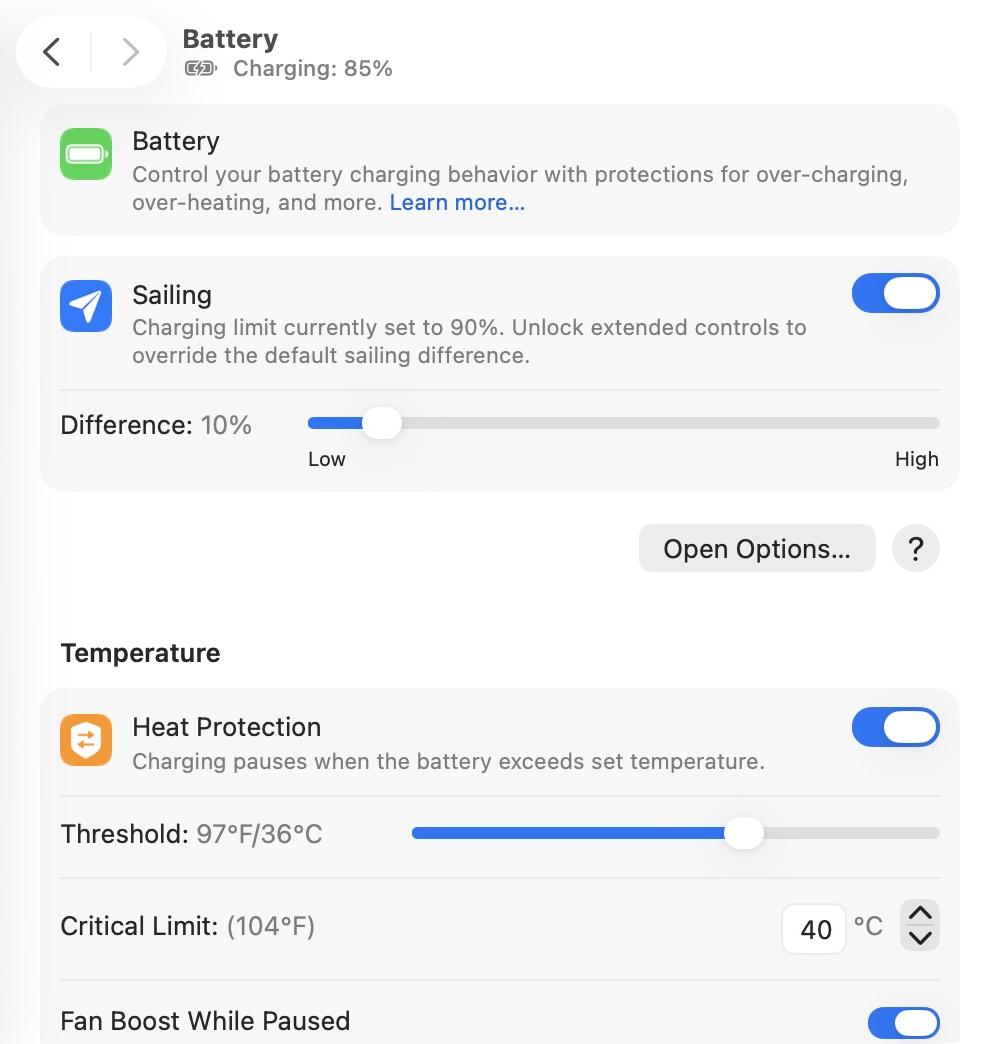
Tethered is a macOS app for managing your Mac's battery, power modes, and sleep behavior. It brings charging controls, power settings, and battery history into one place, with quick access from the menu bar.
 Install with Homebrew
brew install --cask Tumerit/tap/tethered
 Alfred Workflow — Currently testing. Requires Alfred 5 with Powerpack and Tethered installed and running.
What you can do
 |
|
Pro Access
Pro Access is $9.99 per device. Pay once, lifetime upgrades. It unlocks extended charging controls and heat protection options, power mode thresholds and system controls, app-based automation, Caffeinate presets, additional keyboard shortcuts and Apple Shortcuts actions, iCloud settings sync, and more alert customization. You can purchase or check access for this Mac in Tethered's Pro Access settings.
Your data
Tethered keeps your settings and battery history locally on your Mac. With Pro Access, you can enable iCloud sync for your settings and assets, or back up and restore them through your iCloud account. Battery history remains available locally in Tethered's Application Support folder.
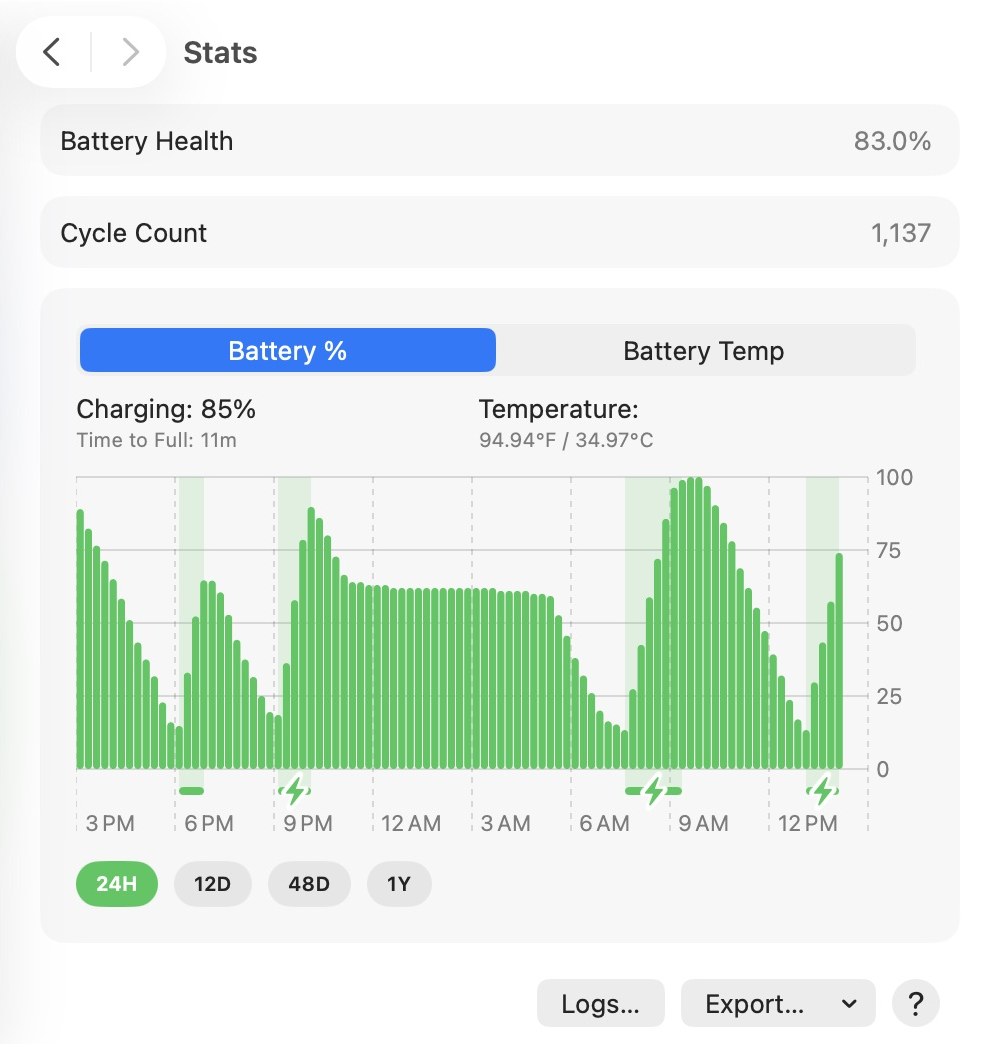
You can manage settings in the app, view battery health and charge history in Stats, and export battery health history as CSV or JSON. Tethered also lets you export its logs. Open Account → iCloud to find the local data location and iCloud backup controls.
AI Integrations Preview
Requires Tethered 1.2.0+ installed and running on the same Mac and user account, Pro access, Task Sessions enabled, and a saved task profile.
Connect a local AI assistant to Tethered while it runs builds, test suites, data-processing jobs, etc. A saved task profile can:
- Request Automatic, Low Power, or High Power mode where supported
- Keep your Mac awake with Caffeinate
- Deprioritize or temporarily suspend eligible background apps.
Process controls can apply throughout a session or activate at warning or critical memory pressure, with app exceptions, frontmost-app protection, and configurable memory thresholds. Ending or expiring a session releases temporary controls and resumes apps Tethered suspended. You configure the profiles in Tethered and can end sessions there at any time. The integration uses the app’s bundled local MCP adapter.
For Claude Desktop, download tethered-0.2.6.mcpb. The MCPB launches the adapter from the installed app; it does not install Tethered.
For Codex, Claude Code, Cursor, Gemini CLI, VS Code/Copilot, and other supported local clients, see plugin installation and manual setup.
Current State: Integrations/VALIDATION.md
Screenshots
| Battery and charging | Battery history |
|---|---|
 |  |
| Power controls | App automation |
|---|---|
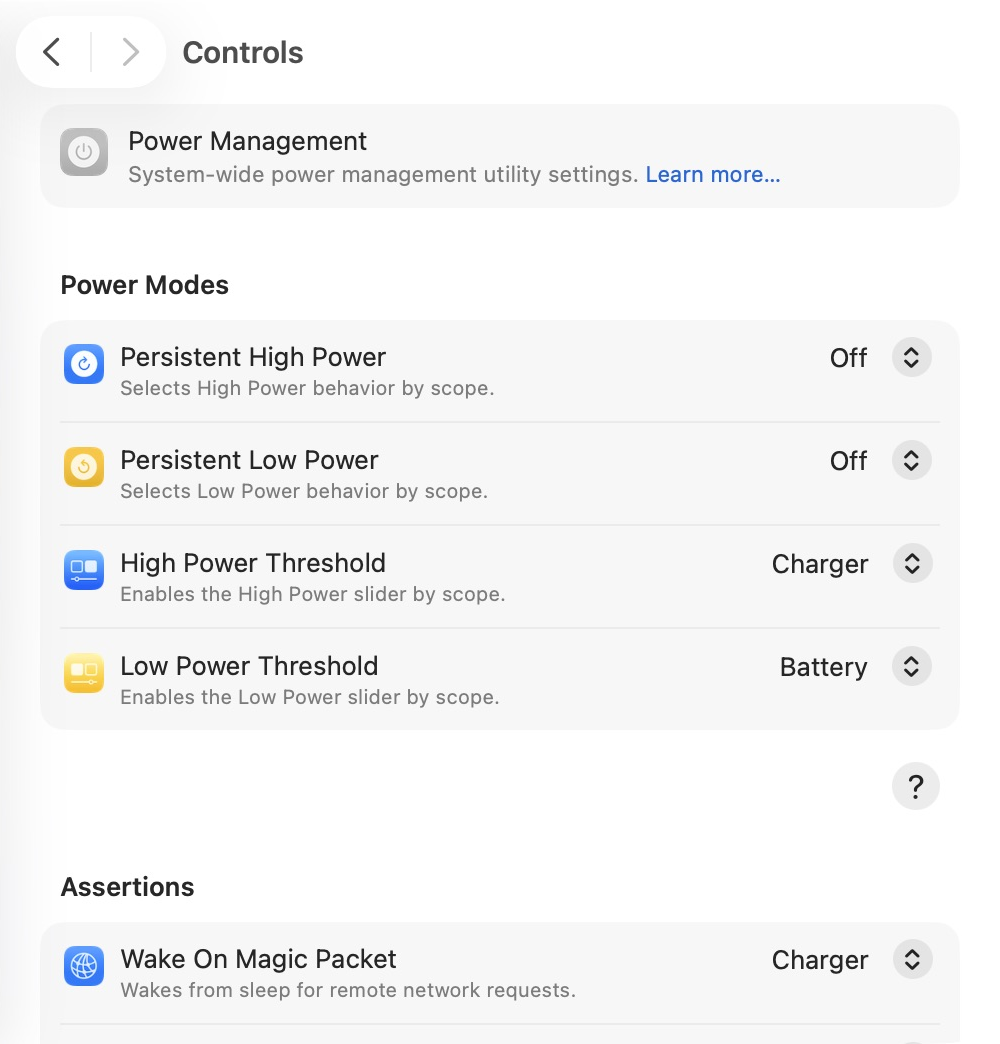 |  |
| Display settings | Alerts and appearance |
|---|---|
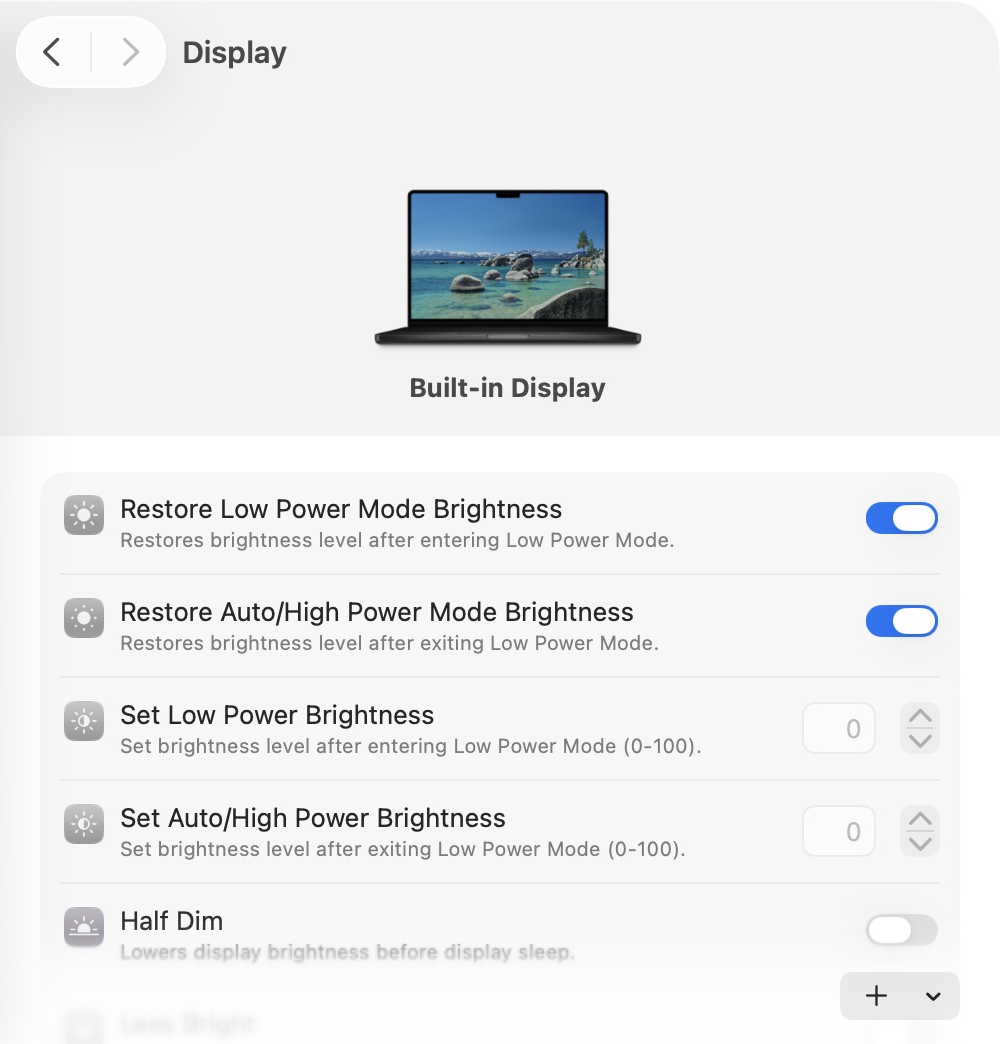 | 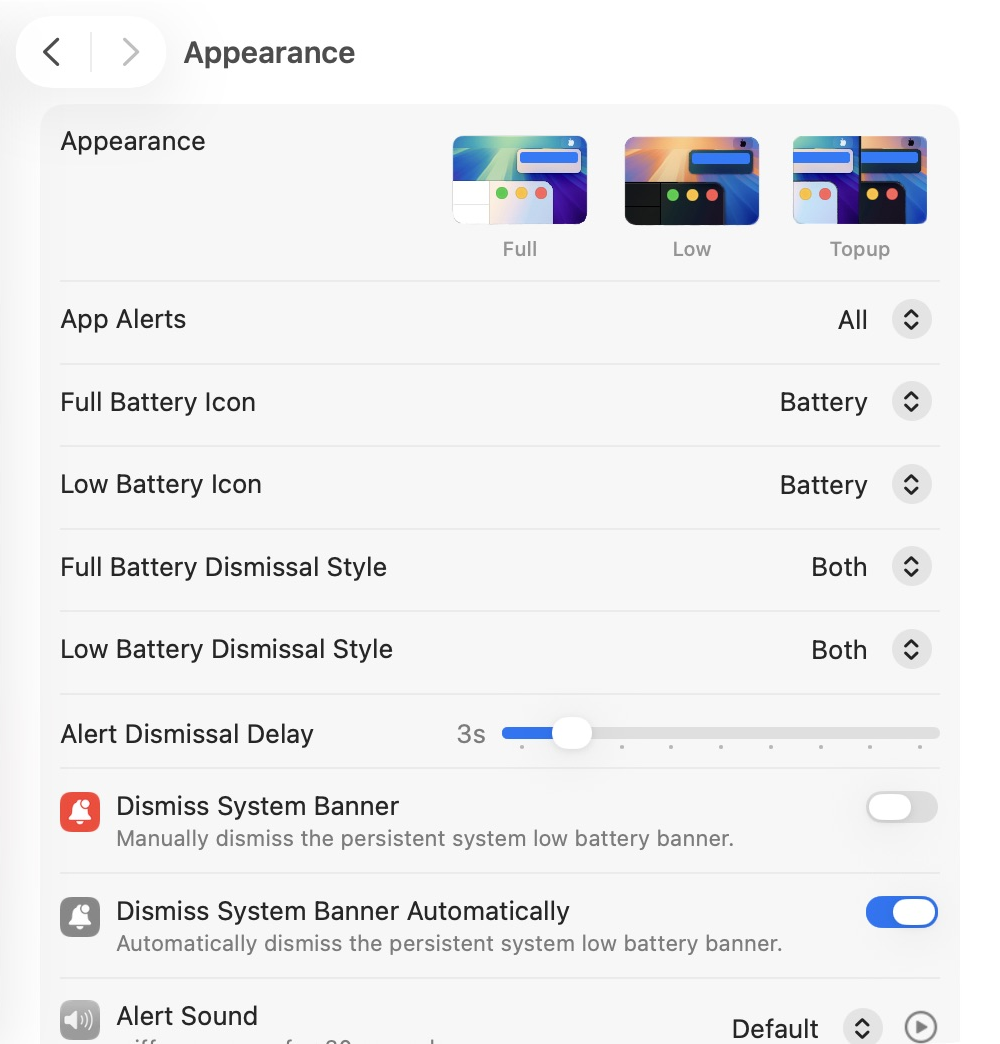 |
Get Tethered
Download the macOS installer from GitHub Releases. The .pkg file is for manual installation; the .Sparkle.zip file is used by the app's built-in updater.