Listed from the MCP registry; nobody on Odel publishes it.

AuraStream
Historical market, macro, positioning and alt data from 45 sources through one API.
Runs on your machine from its package; the steps are below.
What it does
- Reads
- Writes
- High impact
At most: only reads or looks up information.
What it costs
FreeOdel charges nothing per call. The publisher may charge for its own service.
Runs locally over stdio
This server isn't hosted — your MCP client launches it from a package registry. Use one of the commands below, or drop the config into your client (e.g. Claude Desktop).
Run
uvx aurastream-mcp
MCP client config
{
  "mcpServers": {
    "aurastream": {
      "command": "uvx",
      "args": [
        "aurastream-mcp"
      ]
    }
  }
}aurastream-mcp
An MCP server for AuraStream, the unified historical data API. It lets Claude Desktop, Claude Code, ChatGPT and other MCP clients pull OHLCV bars (and, for some sources, funding rates, trades, quotes, order books and earnings) from crypto exchanges, Yahoo Finance, Oanda, Alpaca, Polygon and others, plus macro, positioning and trade-flow data such as FRED, CFTC Commitments of Traders, SEC insider trades, earnings filings, planned insider sales, 8-K events, fails-to-deliver, 13D/13G stakes, 13F and mutual fund/ETF holdings and votes, the US economic release calendar, UK/EU/US/Hong Kong metals trade, TSA travel numbers, historical weather and degree days, US retail sales and consumer spending (PCE), USDA crop projections (WASDE), EU short positions, WARN layoff notices, federal contract spending and Fed statements, minutes and speeches, plus Unbiased Alpha's own derived datasets (crypto crowding, Fed tone, 8-K risk flags, insider conviction, fund flows, federal contracts and layoffs per company, energy and crop surprises): all 46 AuraStream sources through one tool.
Ask "plot BTC daily closes for Q1 from Binance", "compare SPY and QQQ drawdowns this year" or "how have hedge funds positioned in gold futures since 2020?" and the model calls AuraStream for the data.
Step-by-step setup for Claude and ChatGPT, with example prompts: Connect Claude or ChatGPT to market data with MCP.
Tools
| Tool | What it does |
|---|---|
list_sources() | Sources, asset classes, ticker formats, intervals, supported dtypes and source-specific parameters, and whether provider credentials are needed and configured. No API call. |
get_timeseries(source, tickers, start, end, interval="1d", dtype="bars", price_type=None, instrument=None, continuous_contracts=None, ticktype=None, assetclass=None, category=None, feed=None, adjustment=None, indicator=None, dataset=None, report=None, options=None, as_of=None, concepts=None, period=None, mode=None, reporter=None, metric=None, level=None, db=None, filters=None, assetcol=None, index=None, variables=None, timezone=None, unit_group=None, vs_currency=None, sessiontemplate=None, closed_only=None, bartype=None, max_rows=100) | Calls POST /timeseries. Returns one CSV block per ticker (timestamp,Open,High,Low,Close,Volume for market bars, the source's own fields otherwise), capped at the most recent max_rows rows (max 1000) with the total row count noted. |
get_latest(source, tickers, interval="1d", bars=10) | The most recent N bars per ticker, without picking dates. |
Each get_timeseries / get_latest call is one AuraStream API call.
Sources exposed:
| Group | Sources |
|---|---|
| Crypto | binance, bybit, kraken, deribit, kucoin, dydx, hyperliquid, lyra (Derive); with your own key: coinapi; with a Nemeton subscription: nemeton (order book signals) and signals (crypto crowding, Fed tone, 8-K flags, insider conviction, fund flows, federal contracts, layoffs, energy and crop surprises) |
| Equities, FX, futures, CFDs | yahoo; with your own account: oanda, alpaca, polygon, firstrate, tradestation, cityindex |
| Macro and energy | treasury, worldbank, sdmx (BIS, ECB, IMF, OECD...), econcalendar (US release times), fedtext (FOMC statements, minutes, Fed speeches), wasde (USDA crop projections); with a free key: fred, eia, bea (PCE, income, GDP); with your own key: tradingeconomics, nasdaq |
| Fundamentals | edgar (insider trades, reported financials, earnings filings, planned sales (144), 8-K events, fails-to-deliver, 13D/13G stakes, 13F holdings, fund and ETF holdings (N-PORT) and votes (N-PX)), usaspending (federal contracts by company), warn (layoff notices); with your own key: finnhub |
| Positioning and flows | cftc (Commitments of Traders), netshort (EU short positions), hmrc, comext, hktrade; with a free key: uscensus |
| Crypto fundamentals and news | defillama, gdelt; with a free key: coingecko |
| Weather and travel | openmeteo, degreedays (heating and cooling degree days), tsa (daily air travelers); with your own key: visualcrossing |
Dates are YYYY-MM-DD. Intervals follow the API: upper-case M is minutes, lower-case m is months (15M = 15 minutes, 1m = one month). The server checks intervals, dtypes and parameters against each source's documented values before calling the API.
Install
Requires Python 3.10+.
pip install aurastream-mcp
Or run it without installing, with uv: uvx aurastream-mcp.
This installs an aurastream-mcp command. Check it with aurastream-mcp --help.
Configuration
All secrets come from environment variables. Provider credentials are never tool arguments, so they never pass through the chat or the model.
| Variable | Needed for |
|---|---|
AURASTREAM_API_KEY | Everything. Get a free key from the dashboard. |
OANDA_ACCOUNT_ID, OANDA_TOKEN | oanda |
OANDA_ENVIRONMENT | oanda, optional: practice (default) or live |
ALPACA_API_KEY, ALPACA_SECRET_KEY | alpaca |
POLYGON_API_KEY | polygon |
FRED_API_KEY | fred |
FINNHUB_API_KEY | finnhub |
FIRSTRATE_USER_ID | firstrate: the user ID FirstRate Data gives you for API downloads |
EIA_API_KEY | eia (free at eia.gov) |
CENSUS_API_KEY | uscensus: trade and retail sales (free at census.gov) |
BEA_API_KEY | bea (free at apps.bea.gov) |
EDGAR_USER_AGENT | edgar and econcalendar (BLS): your name and contact email, e.g. Your Company contact@yourcompany.com. The SEC requires it; no registration. |
NEMETON_API_KEY | nemeton: the key from your Nemeton subscription |
COINAPI_KEY | coinapi |
COINGECKO_API_KEY or COINGECKO_DEMO_API_KEY | coingecko: a Pro key, or a free Demo key (last 365 days only) |
NASDAQ_DATA_LINK_API_KEY | nasdaq |
TRADINGECONOMICS_API_KEY | tradingeconomics |
TRADESTATION_CLIENT_ID, TRADESTATION_CLIENT_SECRET, TRADESTATION_REFRESH_TOKEN | tradestation |
CITYINDEX_USERNAME, CITYINDEX_PASSWORD, CITYINDEX_APP_KEY | cityindex |
VISUALCROSSING_API_KEY | visualcrossing |
OPENMETEO_API_KEY | openmeteo, optional: sent when set |
Weather sources take locations as latitude,longitude tickers, e.g. 48.85,2.35.
Set only the ones you use. list_sources tells the model which sources are configured.
Claude Desktop
Edit claude_desktop_config.json (Settings > Developer > Edit Config):
{
  "mcpServers": {
    "aurastream": {
      "command": "aurastream-mcp",
      "env": {
        "AURASTREAM_API_KEY": "your-aurastream-key",
        "OANDA_ACCOUNT_ID": "101-004-12345678-001",
        "OANDA_TOKEN": "your-oanda-token"
      }
    }
  }
}
If Claude Desktop can't find the command, use the full path (e.g. C:\\Users\\you\\venv\\Scripts\\aurastream-mcp.exe or /Users/you/venv/bin/aurastream-mcp). Restart Claude Desktop afterwards.
Claude Code
claude mcp add aurastream -e AURASTREAM_API_KEY=your-aurastream-key -- aurastream-mcp
Add -e FRED_API_KEY=... etc. for credentialed sources, and --scope user to make it available in every project.
Hosted server (no install)
Unbiased Alpha runs a shared copy at https://aurastream.unbiased-alpha.com/mcp. Point any client that supports remote MCP servers at it and send your own AuraStream key:
- as a header:
x-api-key: <key>orAuthorization: Bearer <key>, or - in the URL, for clients that cannot set headers (ChatGPT):
https://aurastream.unbiased-alpha.com/mcp?api_key=<key>. Anyone who sees that URL can use your key, so treat it like the key itself.
Claude Code:
claude mcp add --transport http aurastream https://aurastream.unbiased-alpha.com/mcp --header "x-api-key: your-key"
The hosted server holds no provider keys, so sources that need your own provider account (FRED, Polygon, Nemeton and the others in the table above) only work with a local install. Every source that needs no provider key works.
ChatGPT (remote connector)
The quickest route is the hosted server above: add https://aurastream.unbiased-alpha.com/mcp?api_key=<your key> as a connector (Settings > Connectors, developer mode). To run your own instead:
ChatGPT only talks to remote MCP servers over HTTPS, so run the server in HTTP mode somewhere reachable and register the URL as a connector.
AURASTREAM_API_KEY=your-key aurastream-mcp --http --host 127.0.0.1 --port 8000
# endpoint: http://127.0.0.1:8000/mcp
Put it behind something that gives you a public HTTPS URL (a reverse proxy with TLS, or a tunnel such as Cloudflare Tunnel or ngrok), then tell the server which public host name to accept:
aurastream-mcp --http --port 8000 --allowed-host mcp.example.com
and add https://mcp.example.com/mcp in ChatGPT. Requests with any other Host header are rejected (DNS-rebinding protection).
How the API key works in HTTP mode. If the client sends x-api-key: <key>, Authorization: Bearer <key> or ?api_key=<key> in the URL, that key is used. Otherwise the server falls back to AURASTREAM_API_KEY. The fallback is what makes ChatGPT work today, but it also means anyone who knows the URL spends your allowance and uses your provider credentials. Treat the HTTP mode as single-user self-hosting: keep the URL private, or put it behind your own auth. Start with --require-client-key to disable the fallback when each user brings their own key. Provider credentials always come from the server's environment.
Other options
aurastream-mcp [--http] [--host HOST] [--port PORT] [--path /mcp]
               [--allowed-host HOST ...] [--require-client-key] [--json-response]
AURASTREAM_API_URL overrides the endpoint (useful for testing).
Example prompts
- "What sources does AuraStream have for forex?"
- "Get daily BTCUSDT and ETHUSDT from Binance for 2025 and compute their 30-day rolling correlation."
- "Show the last 20 hourly bars of EUR_USD from Oanda."
- "Pull UNRATE and DFF from FRED since 2015 and describe how they moved together."
- "Show Binance BTCUSDT perpetual funding rates for June 2025."
- "How has managed-money positioning in gold futures (CFTC) changed since 2020?"
- "Which AAPL insiders bought or sold shares in 2024?"
- "Show monthly UK gold exports to Switzerland since 2020."
- "Fetch SPY and QQQ daily from Yahoo for the last 6 months and compare max drawdowns."
Limits
- Historical data, not a real-time feed. The last bar may still be forming.
- Every data call counts against your monthly AuraStream allowance (free plan: 500 calls/month). When it runs out the tool says so; it resets on the 1st at 00:00 UTC. The free plan also allows about 1 request per second.
- Results are capped per ticker (default 100 rows, max 1000) to keep the model's context manageable. For long, fine-grained histories use the REST API or the Python client directly.
- The API times out after 120 seconds; split very large requests.
- Interval support varies by source (see the docs).
Known issues
- Non-bar data (funding, order and position books, trades, quotes, earnings, Finnhub financials and the macro, positioning and trade sources) is rendered generically as a table.
- Several sources are stamped at the period they describe but published later (EIA, EDGAR fails-to-deliver, the trade sources).
list_sourcesnotes the lag; shift the data before backtesting. - GDELT search queries are throttled by GDELT itself; keep ranges short.
dataset="themes"is not throttled.
Directories
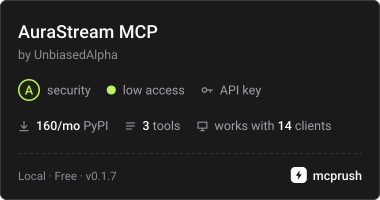
Also listed on mcprush, with its security scan:
Development
python -m venv .venv
.venv/Scripts/activate        # or: source .venv/bin/activate
pip install -e ".[test]"
pytest
The tests mock all HTTP calls; no API key is needed.
License
MIT. See LICENSE.