Listed from the MCP registry; nobody on Odel publishes it.

mimikyu
Fast Chromium CDP & Firefox BiDi browser automation and session isolation MCP server (33 tools).
Runs on your machine from its package; the steps are below.

What it does
- Reads
- Writes
- High impact
At most: moves money, runs code or commands, deletes data, or sends messages for you.
What it costs
FreeOdel charges nothing per call. The publisher may charge for its own service.
Runs locally over stdio
This server isn't hosted — your MCP client launches it from a package registry. Use one of the commands below, or drop the config into your client (e.g. Claude Desktop).
Run
npx -y mimikyu-mcp
MCP client config
{
  "mcpServers": {
    "mimikyu": {
      "command": "npx",
      "args": [
        "-y",
        "mimikyu-mcp"
      ]
    }
  }
}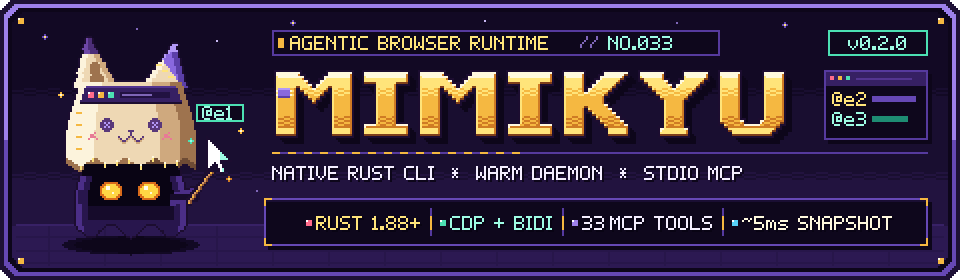









High-speed native Rust agentic browser runtime, two-tier session/profile isolation layer, privacy vaults, warm Unix-socket daemon, and 33-tool MCP control plane driving local Chromium (CDP) and Firefox (W3C WebDriver BiDi).
Install · Demos · Releases · Quickstart · MCP (33 Tools) · Benchmarks · Website · Architecture · Security

AGENTDEX // ENTRY NO. 031 — MIMIKYU

TYPE: SHADOW / BROWSER
|
Why
|
Live Demos
100% Raw, Unstylized Live Browser Screencast (Real Public Websites)
Captured directly via mimikyu's built-in mimikyu record start/stop (CDP Page.startScreencast) across live github.com/YXZYSME/mimikyu, crates.io/crates/mimikyu, pypi.org/project/mimikyu/, and news.ycombinator.com — zero overlays or mocked pages:
- Full-resolution MP4 captures: 100% Raw Live Websites (MP4) · The 5ms Agentic Loop (MP4) · Chromium CDP vs Firefox BiDi Parity (MP4)
- Reproduce locally:
python3 scripts/demos/record_raw_live.py --headedorpython3 scripts/demos/record_demos.py(seescripts/demos/README.md).
Installation & Updating
Official Package Registries
| Ecosystem | Official Package(s) | Install / Quick Run |
|---|---|---|
Shell (curl) | GitHub Releases (SHA256SUMS + SLSA v1) | curl -fsSL https://raw.githubusercontent.com/YXZYSME/mimikyu/main/install.sh | sh |
| Homebrew | YXZYSME/homebrew-tap (yxzysme/tap/mimikyu) | brew tap YXZYSME/tap && brew install mimikyu |
Rust (crates.io) | mimikyu · mimikyu-cli · mimikyu-core | cargo install mimikyu-cli / cargo binstall mimikyu-cli |
Node (npm) | saengil-mimikyu · mimikyu-cli · mimikyu-mcp | npm install -g saengil-mimikyu / npx -y saengil-mimikyu doctor |
Python (PyPI) | mimikyu | pip install mimikyu / uvx mimikyu doctor |
| MCP Registry | io.github.YXZYSME/mimikyu | npx -y mimikyu-mcp or uvx --from mimikyu mimikyu-mcp |
One-Line POSIX Installer (macOS & Linux)
Downloads the prebuilt GitHub Release archive (aarch64-apple-darwin, x86_64-apple-darwin, x86_64-unknown-linux-gnu, or aarch64-unknown-linux-gnu), verifies its SHA-256 checksum against SHA256SUMS before extraction, and installs atomically to ~/.local/bin (or $MIMIKYU_INSTALL_DIR):
curl -fsSL https://raw.githubusercontent.com/YXZYSME/mimikyu/main/install.sh | sh
Updating, Pinning Versions & Uninstalling
# Check installed version against the latest GitHub Release and upgrade atomically
curl -fsSL https://raw.githubusercontent.com/YXZYSME/mimikyu/main/install.sh | sh -s -- --update

# Pin an exact SemVer tag, custom install directory, or GitHub build provenance attestation check
curl -fsSL https://raw.githubusercontent.com/YXZYSME/mimikyu/main/install.sh | sh -s -- \
  --version v0.1.0 --bin-dir ~/.local/bin --verify-attestation

# Cleanly remove the installed binary
curl -fsSL https://raw.githubusercontent.com/YXZYSME/mimikyu/main/install.sh | sh -s -- --uninstall
Homebrew (macOS & Linux)
Published via the official custom tap YXZYSME/homebrew-tap:
brew tap YXZYSME/tap
brew trust yxzysme/tap   # required once on Homebrew 5+
brew install mimikyu

# Upgrade later
brew update && brew upgrade mimikyu
Rust (crates.io) & cargo-binstall
Published on crates.io as mimikyu (library facade), mimikyu-cli (CLI/daemon/MCP binary), and mimikyu-core (core runtime):
# Install the unified `mimikyu` CLI, daemon & MCP binary from crates.io
cargo install mimikyu-cli

# Or download the prebuilt GitHub Release binary directly via cargo-binstall
cargo binstall mimikyu-cli

# Embed the Rust library runtime in your own project
cargo add mimikyu
Node / npm & npx
Zero-dependency launchers that download and SHA-256-verify the official native Rust release binary on first run:
# Install the `mimikyu` CLI binary globally via Saengil's official npm package
npm install -g saengil-mimikyu
mimikyu doctor

# Or run ephemerally with npx (zero global install)
npx -y saengil-mimikyu doctor

# Alternative unscoped CLI alias & dedicated MCP stdio launcher:
npm install -g mimikyu-cli
npx -y mimikyu-mcp
Python / pip & uvx
Published on PyPI as mimikyu (exposing both mimikyu and mimikyu-mcp console scripts with zero third-party Python dependencies):
# Install `mimikyu` and `mimikyu-mcp` onto your PATH
pip install mimikyu
mimikyu doctor

# Or run ephemerally with uvx
uvx mimikyu doctor
uvx --from mimikyu mimikyu-mcp
Build & Install from Local Source
# Install `mimikyu` into ~/.cargo/bin from a local checkout
cargo install --locked --path crates/mimikyu-cli

# Or use the POSIX installer's local source mode (installs to ~/.local/bin by default)
./install.sh --from-source

# Or build the release binary directly in ./target/release/mimikyu
cargo build --release
./target/release/mimikyu doctor
./target/release/mimikyu doctor --json
Runtime Prerequisites
- Local Browser: Chromium/Chrome and/or Firefox installation (auto-discovered via explicit override →
MIMIKYU_CHROMIUM_PATH/MIMIKYU_FIREFOX_PATH→ Playwright & Puppeteer local caches → system installs &PATH) - For Building from Source: Rust toolchain
1.88+(cargo,rustc, Edition 2024) - For Running
e2e/: Python 3 (standard library only; zero externalpippackages)
Architecture
mimikyu is organized as a three-crate Rust workspace (mimikyu, mimikyu-core, mimikyu-cli — Edition 2024, MSRV 1.88) plus an opaque-box Python 3 stdlib end-to-end test suite (see ARCHITECTURE.md for the full module graph and non-negotiable invariants):
crates/
├── mimikyu-core/src/
│   ├── discovery.rs      # Local Chromium & Firefox discovery + macOS zero-spawn Firefox metadata probe
│   ├── process.rs        # POSIX process-group isolation (setpgid), deterministic reaping, crash suppression
│   ├── driver/           # Native WebSocket CDP (Chromium) & W3C WebDriver BiDi (Firefox) drivers
│   ├── isolation/        # Two-tier isolation: persistent/ephemeral profiles (fs2 locks) & virtual contexts
│   ├── env_profile/      # OS presets (win11|macos|linux), offline GeoIP, coherence checks, ProxyRelay, init scripts
│   ├── network/          # Resource blocking, request interception/routing, ring-buffer telemetry
│   ├── snapshot/         # Compact semantic accessibility tree, deterministic @eN ref map, structural diffs
│   ├── extract/          # Markdown, plain text, links, HTML tables, PNG screenshots, PDF, instant animations
│   ├── input/            # Serialized ChokepointInput, optional kinematic humanize motion, ActionBatcher
│   ├── wait/             # Page idle (lifecycle + network quiet + layout stability), text, URL, selector waits
│   ├── session.rs        # Unified SessionManager orchestrating engines, isolation, state, and telemetry
│   ├── daemon/           # Warm Unix-socket NDJSON daemon with auto-spawn, idle timeout, and socket symlinking
│   ├── mcp/              # Stdio JSON-RPC 2.0 MCP server (protocol 2024-11-05, 31 tools)
│   ├── harness/          # Embedded 127.0.0.1:0 dual-origin (primary + cross-origin) local HTTP test server
│   └── bench/            # Reproducible local speed & 5-workflow agentic benchmark suite + live RSS tracking
└── mimikyu-cli/src/      # Unified `mimikyu` CLI binary (--json envelope, daemon client, MCP & bench frontends)
e2e/                      # Opaque-box Python 3 stdlib E2E test suite (Tiers 1–4 + --self-test) on 127.0.0.1:0
Runtime Flow
- CLI / MCP Frontend:
- Interactive and scripted CLI invocations connect over a local Unix domain socket (
<state-dir>/daemon.sock, automatically symlinking to/tmp/mkd-<sha256>.sockwhen paths approachSUN_LEN), auto-starting a warm background daemon unless--no-daemonis passed. mimikyu mcpruns a stateful stdio JSON-RPC 2.0 server backed directly bySessionManager.
- Interactive and scripted CLI invocations connect over a local Unix domain socket (
- Two-Tier Isolation:
- Tier 1 (Process & Disk Profile): Dedicated browser process with either a locked named/path persistent profile (
--profile, exclusivefs2lock, JSON cookie/storage export & import) or a self-cleaning temporary directory (--ephemeral). - Tier 2 (Virtual Browser Context): Lightweight isolated browser contexts (
--virtual/--virtual-ctx) allocated inside a warm sharedVirtualContextPoolfor low-latency multi-session concurrency.
- Tier 1 (Process & Disk Profile): Dedicated browser process with either a locked named/path persistent profile (
- Dual-Engine Drivers:
driver::cdpspeaks native Chromium DevTools Protocol over WebSocket.driver::bidispeaks W3C WebDriver BiDi over WebSocket for Firefox/Gecko.- Both implement
DriverSessionand shut down gracefully viaBrowser.close/browser.closebefore process-group cleanup.
Features
Environment Consistency & Runtime Controls
- Consistent Environment Profiles: Built-in
win11,macos, andlinuxpresets with cross-checked UA/platform/screen/locale/timezone coherence validation and synchronized window + worker init scripts (including SharedWorker alignment). - Offline GeoIP & Proxy Alignment: Local GeoIP lookup (
--geoip) for timezone/locale derivation and an embedded localProxyRelay(--proxy) supporting authenticated HTTP and SOCKS5 upstreams without leaking credentials in browser flags. - Two-Tier Session & Profile Isolation: Persistent locked profiles, ephemeral temp profiles, storage state export/import (
session export/import,profile export/import), and warm pooled virtual contexts. - Network & Resource Control: Per-session blocking for images (
--block-images), media (--block-media), and fonts (--block-fonts), plus request interception and bounded console/network telemetry logs (mimikyu logs). - Kinematic Humanized Input: Opt-in
--humanizemode onsession new,click,fill,type, andscrollwith viewport-clamped pointer trajectories, typing cadence variance, and split wheel notches, serialized throughChokepointInputwith bounded ACK timeouts.
Agentic Browser Primitives
- Compact
@eNAccessibility Snapshots:mimikyu snapshotdistills pages (including open Shadow DOM and same-origin/nested/cross-origin iframes) into a compact semantic tree with deterministic@eNelement refs, supporting--interactive-only,--max-depth,--include-bounds, and--diff. - Structured Extraction & Media:
mimikyu extract <markdown|text|links|tables>,mimikyu screenshot(viewport,--full-page, or--target),mimikyu pdf, and--instant-animations. - Deterministic Waits & Atomic Batching:
mimikyu wait(--idle,--text,--url,--selector --state <attached|visible|hidden|detached>) andmimikyu batch(--opsor--file) to execute multi-step action sequences in a single round trip. - Sandboxed Evaluation:
mimikyu evalexecutes in an isolated world by default, with explicit opt-in--main-world.
Host & macOS Reliability Hardening
- Zero-Spawn macOS Firefox Discovery: Reads
application.iniandContents/Info.plistdirectly from disk rather than repeatedly spawningfirefox --version(preventing macOSRegisterFontsexit races and desktop crash dialogs). - Crash-Reporter Suppression & Zero Orphans: Launches Firefox with
MOZ_CRASHREPORTER_DISABLE=1,MOZ_CRASHREPORTER=0, andMOZ_CRASHREPORTER_NO_REPORT=1, isolates every browser process in its own POSIX process group (setpgid(0, 0)), and guarantees teardown on shutdown, signal, orDrop. - Local Discovery Precedence: Explicit override path →
MIMIKYU_CHROMIUM_PATH/MIMIKYU_FIREFOX_PATH→ Playwright & Puppeteer local caches → system installs &PATH.
Quickstart & CLI Examples
All commands support global flags:
--json (machine-readable {"ok": true, "data": ...} / {"ok": false, "error": "..."}), --session <ID> (alias --context, default default), --engine <chromium|firefox>, --state-dir <DIR>, and --no-daemon.
(If installed on PATH, run mimikyu ... directly; from a local release build, use ./target/release/mimikyu ....)
# Start a lightweight virtual session with a consistent preset and resource blocking
mimikyu --session demo session new \
  --virtual --preset macos --locale en-US --timezone America/Chicago \
  --viewport 1280x720 --block-media --json

# Navigate, wait for idle, and capture an interactive @eN snapshot
mimikyu --session demo open https://example.com
mimikyu --session demo wait --idle
mimikyu --session demo snapshot --interactive-only

# Interact via @eN refs or CSS selectors, extract markdown, and screenshot
mimikyu --session demo click @e1 --humanize
mimikyu --session demo extract markdown --json
mimikyu --session demo screenshot ./page.png --full-page

# Execute an ordered batch of actions in one call
mimikyu --session demo batch \
  --ops '[{"op":"fill","target":"@e2","value":"hello"},{"op":"click","target":"@e3"},{"op":"wait","idle":true}]'

# Close session
mimikyu close demo
Background Daemon
CLI commands auto-start the daemon for --state-dir (defaulting to the platform local data dir, e.g. ~/Library/Application Support/mimikyu on macOS, with a 300s default idle timeout). You can also manage it explicitly:
mimikyu daemon --idle-timeout 300   # start in background (or --foreground)
mimikyu daemon status --json
mimikyu daemon stop
MCP Server Configuration
Registered on the Official MCP Registry as io.github.YXZYSME/mimikyu. mimikyu mcp speaks JSON-RPC 2.0 over stdio (MCP protocol 2024-11-05) and exposes 33 tools:
- 13
mimikyu_*tools:mimikyu_session_new,mimikyu_session_close,mimikyu_open,mimikyu_snapshot,mimikyu_click,mimikyu_fill,mimikyu_extract,mimikyu_wait,mimikyu_batch,mimikyu_eval,mimikyu_screenshot,mimikyu_request_human_takeover,mimikyu_resume_from_human - 20
browser_*tools:browser_open,browser_close,browser_snapshot,browser_click,browser_fill,browser_type,browser_press,browser_select,browser_upload,browser_scroll,browser_eval,browser_extract,browser_screenshot,browser_wait,browser_batch,browser_context_list,browser_context_close,browser_profile_export,browser_profile_import,browser_env_report
Zero-install MCP client config via npx (npm):
{
  "mcpServers": {
    "mimikyu": {
      "command": "npx",
      "args": ["-y", "mimikyu-mcp"]
    }
  }
}
Or zero-install via uvx (PyPI):
{
  "mcpServers": {
    "mimikyu": {
      "command": "uvx",
      "args": ["--from", "mimikyu", "mimikyu-mcp"]
    }
  }
}
Or using a locally installed mimikyu binary on your PATH:
{
  "mcpServers": {
    "mimikyu": {
      "command": "mimikyu",
      "args": ["mcp", "--engine", "chromium"]
    }
  }
}
Reproducible Local Benchmark Suite
mimikyu bench runs entirely offline against the embedded 127.0.0.1:0 dual-origin harness, measuring cold launch, warm virtual context creation, navigation, snapshot, extraction, batch latency, live process-tree RSS, snapshot token compression ratio, and 5 end-to-end agentic workflows (multi-step wizard, form echo, catalog filter + diff + table extraction, dynamic DOM hydration + batch, and Shadow DOM + nested/cross-origin iframes):
./target/release/mimikyu bench --iterations 3 --warmup 1 --suite all
./target/release/mimikyu bench --engine firefox --suite all --json
Measured Release Benchmarks (--iterations 3 --warmup 1 --suite all)
| Metric (median) | Chromium (CDP) | Firefox (WebDriver BiDi) |
|---|---|---|
| Cold ephemeral launch | 203.0 ms | 1179.3 ms |
| Warm virtual context | 67.1 ms | 124.2 ms |
| Navigation + idle | 276.9 ms | 286.7 ms |
Semantic @eN snapshot | 5.0 ms | 19.0 ms |
| Markdown extraction | 5.4 ms | 5.5 ms |
| Atomic 3-step batch | 204.2 ms | 203.5 ms |
| Process-tree RSS | 278.3 MB | 727.8 MB |
| Snapshot token compression | 2.79x (967 → 347 est. tokens) | 3.57x (967 → 271 est. tokens) |
| Agentic workflows passed | 5 / 5 (100%) | 5 / 5 (100%) |
Testing & Verification
Rust Workspace Lint & Tests
cargo clippy --workspace --all-targets -- -D warnings
cargo test --workspace
Verified workspace results:
cargo clippy --workspace --all-targets -- -D warnings: 0 warningscargo test --workspace: 337 passed, 0 failed, 0 ignored (mimikyu-core: 314/314 across unit & integration suites;mimikyu-cli: 23/23 across contract, doctor, and bench CLI suites)- Process & crash hygiene: 0 orphan browser/mimikyu processes, 0 macOS CrashReporter logs
Opaque-Box Python E2E Suite (e2e/)
Runs strictly against local 127.0.0.1:0 loopback servers and proxies (e2e/local_server.py) using Python 3 stdlib only:
# Harness self-check (no compiled binary required)
python3 e2e/run_e2e.py --self-test

# Full E2E suite (Tier 1: Features F1–F15, Tier 2: Boundaries/Negative, Tier 3: Cross-Feature, Tier 4: 7 Agentic Workloads)
python3 e2e/run_e2e.py --tier all --bin ./target/release/mimikyu

# Firefox WebDriver BiDi workload verification
python3 e2e/run_e2e.py --tier 4 --engine firefox --bin ./target/release/mimikyu
Verified E2E results against ./target/release/mimikyu (244/244 passed, 0 failed, 0 errors, 0 skipped):
--self-test: 29/29 passed--tier all(Chromium, Tiers 1–4): 208/208 passed (Tier 1: 86, Tier 2: 96, Tier 3: 19, Tier 4: 7)--tier 4 --engine firefox: 7/7 passed- Scope compliance & hygiene: 0 R3 violations, 0 leaked processes, 0 macOS CrashReporter logs
Project Documentation & Governance
| Document | Purpose |
|---|---|
ARCHITECTURE.md | Crate dependency graph, dual-engine DriverSession boundary, ChokepointInput, and 5 scaling invariants |
CONTRIBUTING.md | Local dev setup, Conventional Commits, narrow vertical PR rules, and pre-PR test gauntlet |
CODE_OF_CONDUCT.md | Contributor Covenant v2.1 community standards |
SECURITY.md | Vulnerability reporting, Unix-socket & ProxyRelay security model, isolated-world eval, and R3 policy |
RELEASE.md | Official SemVer branching, ./scripts/release.sh, provenance attestation, and install.sh --update flow |
CHANGELOG.md | Keep-a-Changelog version history |
docs/OPEN_SOURCE_PROCEDURES.md | Maintainer launch checklist, GitHub Rulesets, safe external PR scaling, and operations runbook |
LICENSE-MIT / LICENSE-APACHE | Dual open-source license texts (MIT OR Apache-2.0) |
Scope & Compliance Boundary
mimikyu is strictly a general-purpose AI-agent browser automation, session/profile isolation, and environment consistency runtime. It intentionally excludes any human-verification challenge, CAPTCHA solver, proof-of-work circumvention, or anti-bot gate bypass functionality across both its runtime (crates/) and test suites (e2e/).
License & Parody Notice
Dual-licensed under MIT OR Apache-2.0 at your option.
mimikyu is an independent open-source software project; it is not affiliated with, endorsed by, or sponsored by Nintendo, Creatures Inc., or GAME FREAK. All pixel-art illustrations in assets/ are original works created for this project.







