Listed from the MCP registry; nobody on Odel publishes it.

Tracerlab
Build and verify Cisco Packet Tracer networks from an AI agent.
Runs on your machine from its package; the steps are below.
What it does
- Reads
- Writes
- High impact
At most: moves money, runs code or commands, deletes data, or sends messages for you.
What it costs
FreeOdel charges nothing per call. The publisher may charge for its own service.
Runs locally over stdio
This server isn't hosted — your MCP client launches it from a package registry. Use one of the commands below, or drop the config into your client (e.g. Claude Desktop).
Run
uvx tracerlab
MCP client config
{
  "mcpServers": {
    "tracerlab": {
      "command": "uvx",
      "args": [
        "tracerlab"
      ]
    }
  }
}MCP server for Cisco Packet Tracer 9. Lets Claude Code (or any MCP client) build networks in a running Packet Tracer: add devices, cable them, push IOS configs, address everything, set up routing, ping, and find what's broken. It can also read and write .pkt files without Packet Tracer open.
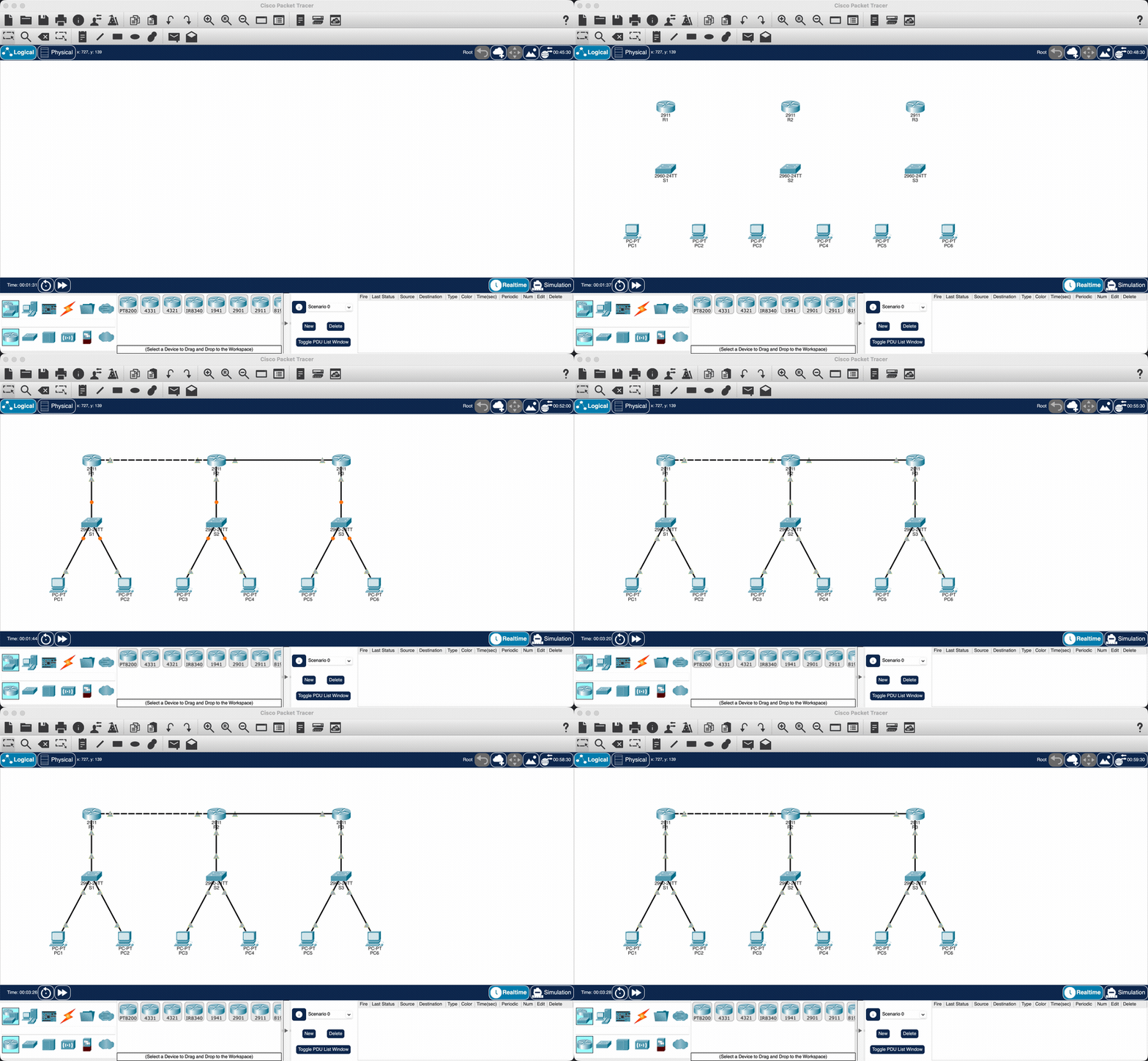
Twelve devices, twelve cables, OSPF across the ring and 6/6 pings, from one prompt.
There are also some ready-made labs (router on a stick, OSPF/EIGRP/RIP topologies, NAT, HSRP, EtherChannel, IPv6) that build in one call.
Install
Needs uv and Packet Tracer 9.
Register the server with your MCP client:
claude mcp add packet-tracer -- uvx --from tracerlab packet-tracer-mcp
Cursor (~/.cursor/mcp.json), VS Code (.vscode/mcp.json) and Codex take the same command:
{
  "mcpServers": {
    "packet-tracer": { "command": "uvx", "args": ["--from", "tracerlab", "packet-tracer-mcp"] }
  }
}
Then install the Packet Tracer side once:
uvx tracerlab install-extension
Restart Packet Tracer and answer Yes when it asks about the new script module. A small "PT-MCP Bridge" window shows up and goes green once the MCP server is running.
If something isn't connecting, run uvx tracerlab doctor.
Use
Open Packet Tracer, start Claude Code and ask for things like:
- build a 3 router OSPF ring with a PC on each LAN and ping everything
- set up router on a stick with VLANs 10, 20, 30 and DHCP
- what's wrong with this network
- show me the running config on R1
examples/enterprise-two-site.pkt is a bigger network built entirely through the tools.
Tests
uv run pytest
mcp-name: io.github.atharv-santosh/tracerlab







