Listed from the MCP registry; nobody on Odel publishes it.

FengSui 烽燧
Your 4G / 5G router's signal, history and SMS from FengSui, a self-hosted router console.
Runs on your machine from its package; the steps are below.
What it does
- Reads
- Writes
- High impact
At most: moves money, runs code or commands, deletes data, or sends messages for you.
What it costs
FreeOdel charges nothing per call. The publisher may charge for its own service.
Runs locally over stdio
This server isn't hosted — your MCP client launches it from a package registry. Use one of the commands below, or drop the config into your client (e.g. Claude Desktop).
Distributed as an MCP bundle (`https://github.com/cky008/cpe-dash/releases/download/v1.9.6/fengsui-1.9.6.mcpb`) — download it and import the bundle in your MCP client.

FengSui 烽燧
A self-hosted console for 5G routers. See your signal, run your router, and get SMS and alerts in one place.






Quick start · Documentation · Live demo · 简体中文
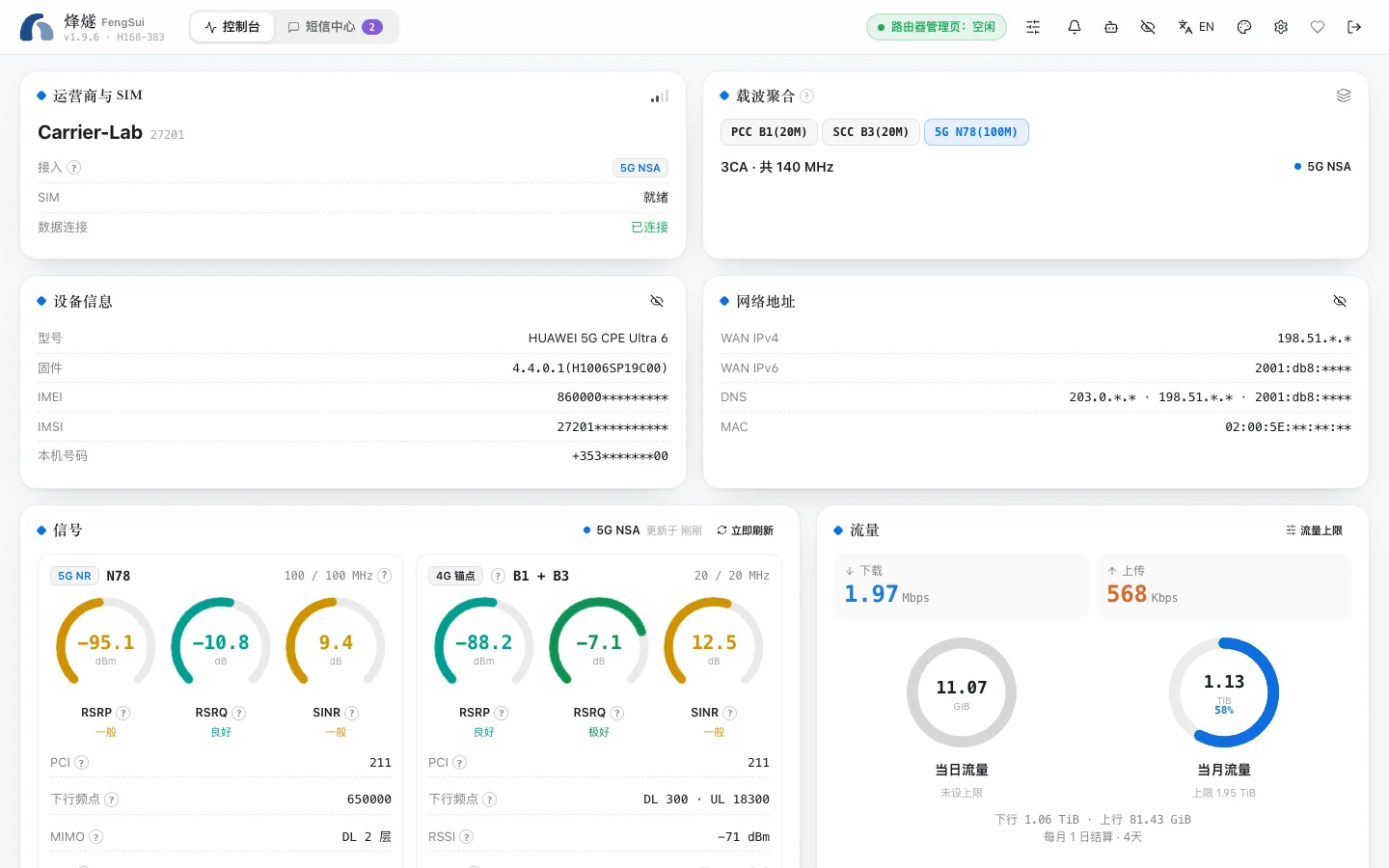
FengSui is a web console that runs on your own NAS or computer and lets you see and manage a 4G / 5G router. Verified on the Huawei H168-383, it also connects to other Huawei models and to ZTE, TP-Link, D-Link and OpenWrt routers, among others. It brings what the router's own web page scatters across many screens onto one dashboard, and adds what that page lacks: history charts, alerts, Telegram notifications, SMS threads and a built-in MCP server for AI agents. Your data stays at home.
What it does
- Shows your signal: RSRP, SINR, modulation, transmit power, and the band and bandwidth of every 4G and 5G carrier, refreshed every 5 seconds, with 7 days of history.
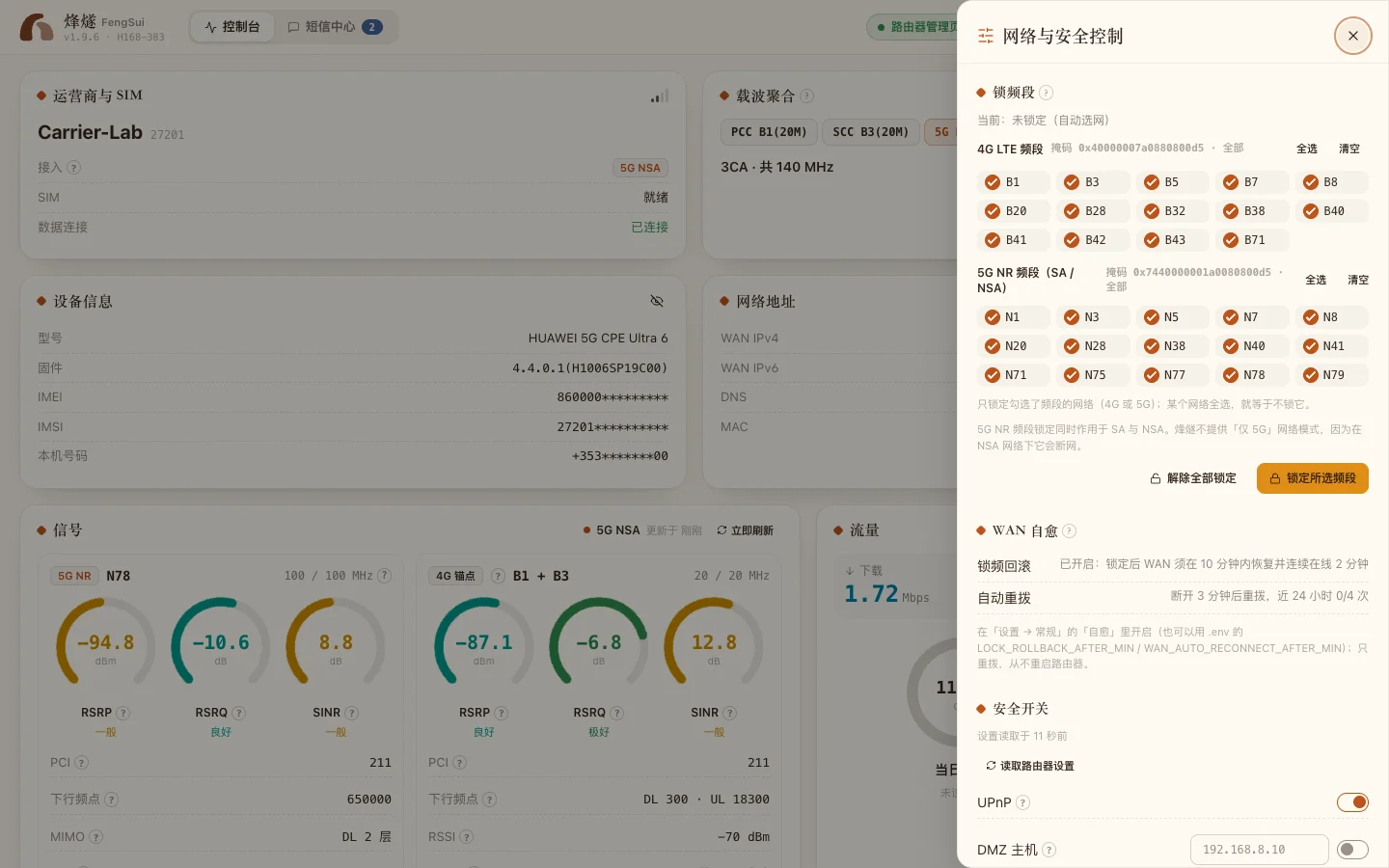
- Band and cell locks you can undo: preview a lock before you apply it. If a lock cuts the internet, FengSui can undo it after a few minutes.
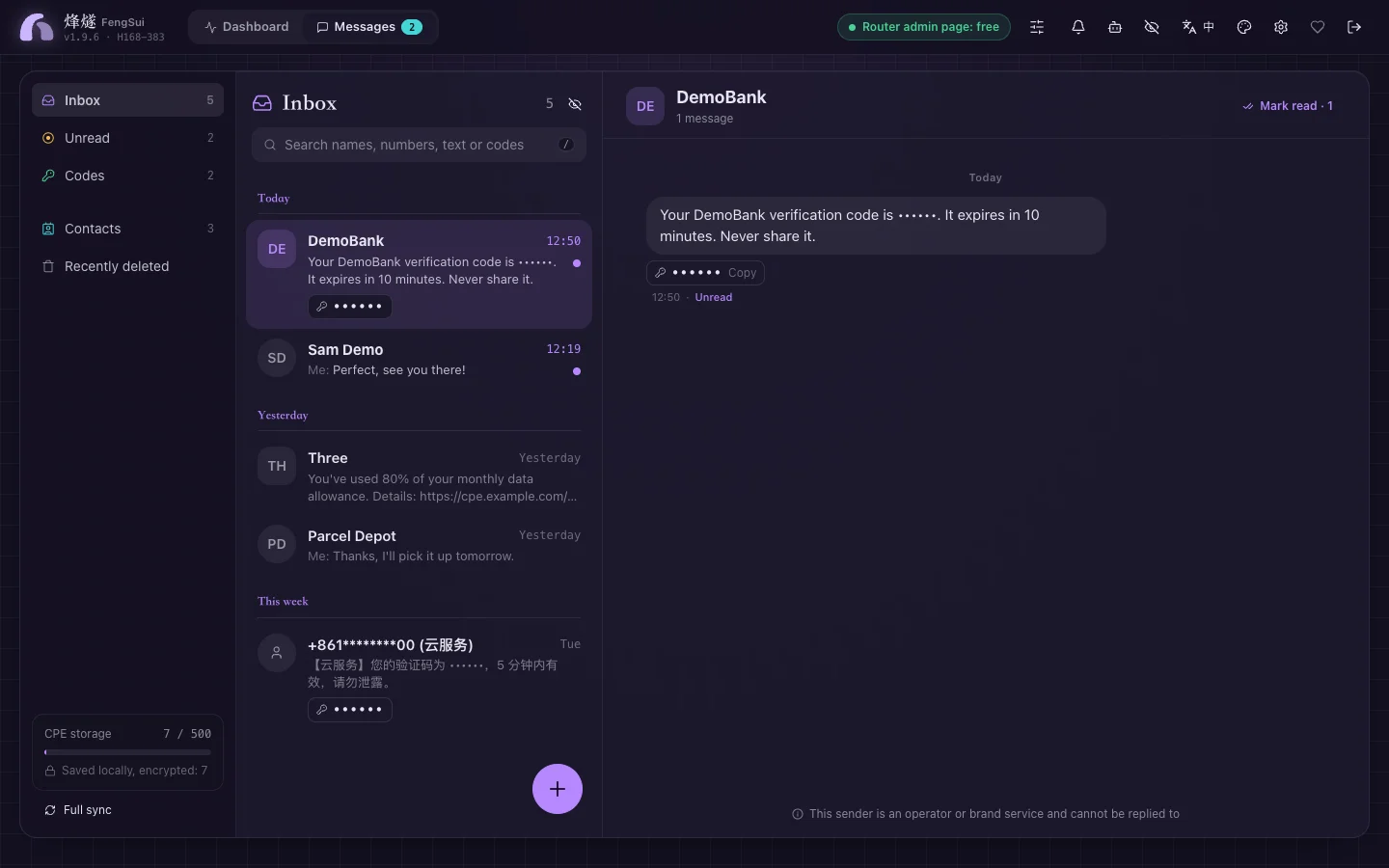
- SMS: threads, one-click copy for verification codes, contact import. Messages are stored encrypted on your disk.
- Devices and internet access: see who is connected and how; pause a device's internet access or give it a schedule.
- Alerts and Telegram: get told when the WAN drops, the signal weakens, the router restarts or the SMS box fills up. Read and answer SMS in Telegram.
- Works with AI agents: a built-in MCP server lets Claude, Cursor and others read the signal and its history. Actions that change the router are off by default, and you choose what each token may do.
It is also built not to get in the way: it steps aside when you sign in to the router's own page, it stops after one wrong password instead of locking the router, and it uses only what ships with Node.js, with no third-party runtime dependencies.
Quick start
You need a NAS or computer that runs Docker, on the same network as the router.
mkdir -p ~/cpe-dash/data && cd ~/cpe-dash
curl -fsSLO https://raw.githubusercontent.com/cky008/cpe-dash/main/docker-compose.yml
curl -fsSL -o .env https://raw.githubusercontent.com/cky008/cpe-dash/main/.env.example
# Edit .env: set DATA_ENCRYPTION_KEY (generate one with openssl rand -hex 32) and TZ
docker compose pull && docker compose up -d
docker compose logs cpe-dash | grep "setup code"
Open http://<this machine's IP>:18384, enter the setup code from the log and follow the steps to connect your router. The full walkthrough, including Synology's Container Manager, is in the quick start.
Caution
Do not forward port 18384 to the internet. To reach the console from outside, use a VPN such as Tailscale or an HTTPS reverse proxy; see Security and privacy.
Screenshots
| SMS | Controls |
|---|---|
 |  |
| Devices and access | On a phone |
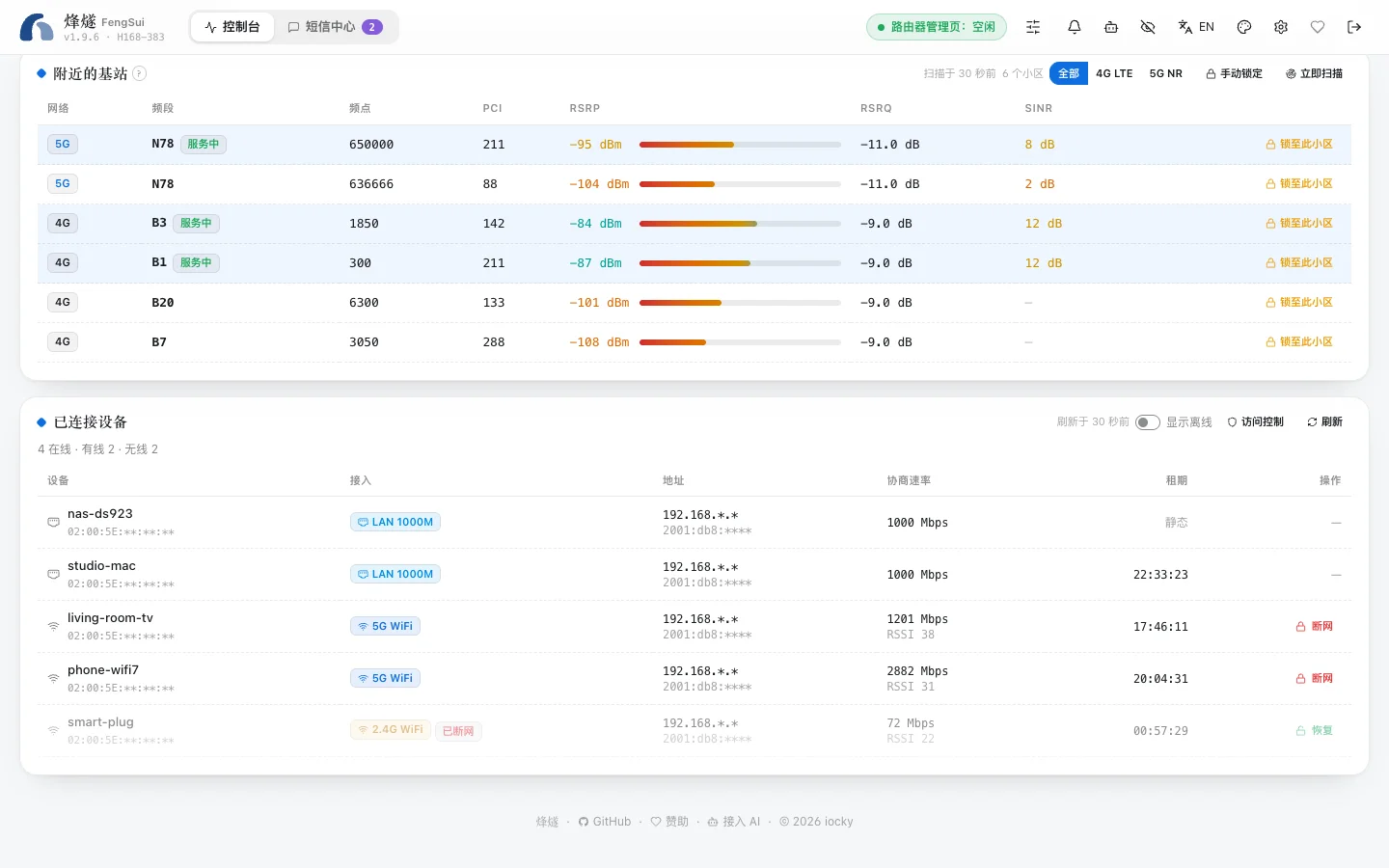 | 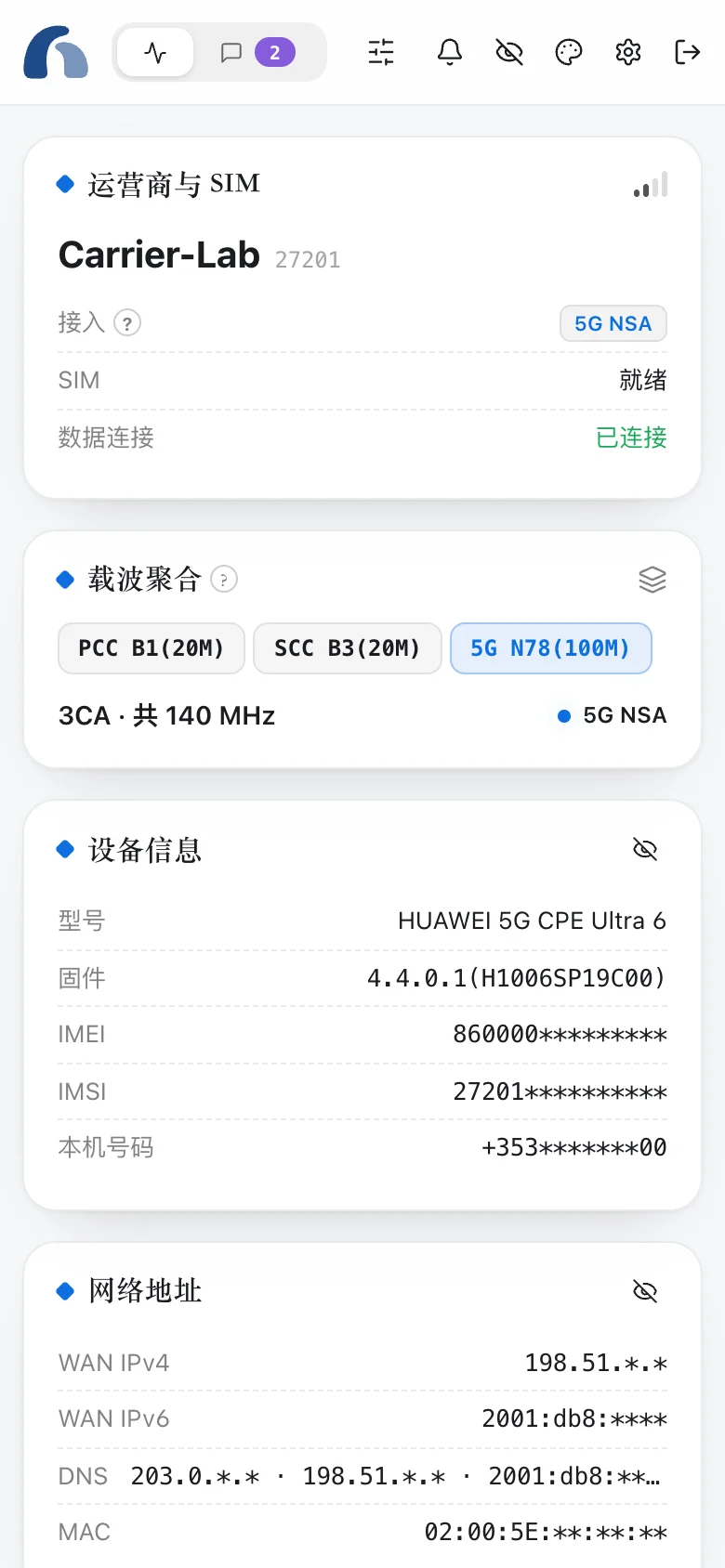 |
You can try the rest in the live demo: every value is made up, and a reload resets it.
Compatibility
So far FengSui is verified on the H168-383 (firmware 4.4.0.1) only.
- Other routers: Other Huawei HiLink routers connect too, and so do routers from ZTE, Pinsu, Tozed (ZLT), FiberHome, NRadio, D-Link and TP-Link, and OpenWrt routers with a Quectel or Fibocom module; FengSui tells the brand itself, but none of them has been verified on a real device.
- Writes: On those routers, what FengSui implements works straight away, writes included: they are on by default, and you can turn each one off in the console. Each write is sent once and read back, and a band or cell lock that leaves the internet down for 3 minutes is undone automatically.
- Help verify more routers: Device reports from the console help get more routers verified, and you can hand the console's ready-made prompt to an AI agent to run the tests and draft the report.
- Details: Where each brand and model stands is under Supported devices, how FengSui works on these routers is under Other models and brands, and the notes on each brand's models are in the device reference; or see it first in the live demo's other-model mode.
Documentation
The full documentation, with search, is on the documentation site:
- Get started: What FengSui is · Supported devices · Quick start · Install and upgrade
- Use FengSui: Dashboard · Band and cell locks · Router switches · SMS · Devices and internet access · Alerts and notifications · AI agents (MCP)
- Understand the readings: Signal readings · Bands, carriers and cells
- Manage: Docker Compose file · Configuration · API reference · Security and privacy · Backup and restore · Other models and brands · Architecture and protocols
- Help: Troubleshooting · FAQ · Acknowledgments
The developer notes (in Chinese) are in docs/dev/: Huawei HiLink protocol · Architecture and design · Implementation sources · Audit record · API contract (REST / SSE / MCP) · Device reference · Logo. Changes are in the changelog.
Contributing
- Questions and ideas: GitHub Issues
- Development: CONTRIBUTING.md (no router needed:
npm run demosimulates one) - Security problems: report privately as described in SECURITY.md
- Code of conduct: CODE_OF_CONDUCT.md
- Sponsoring: GitHub Sponsors · Buy Me a Coffee
Licence and disclaimers
- Licence: Source-available under the PolyForm Noncommercial License 1.0.0 (free for personal and non-commercial use). Commercial use needs separate permission from the author. Third-party components in the build are listed in THIRD_PARTY_NOTICES.md.
- Unofficial: FengSui is an independent project, not affiliated with or endorsed by Huawei, Synology or any carrier. All trademarks belong to their owners.
- As is: no warranty of any kind. Band and cell locks, reboots and blocking can leave you without internet for a while; SMS is billed by your carrier and you are responsible for what you send. Use it only on equipment and networks you are allowed to manage, and follow local law and your carrier's terms.
Acknowledgements
The projects FengSui consulted when adding support for each brand of router are listed under Acknowledgements.







