Listed from the MCP registry; nobody on Odel publishes it.

GeoGebra
Draw and edit geometry live on GeoGebra Calculator. Unofficial, not affiliated with GeoGebra.
Runs on your machine from its package; the steps are below.
What it does
- Reads
- Writes
- High impact
At most: moves money, runs code or commands, deletes data, or sends messages for you.
What it costs
FreeOdel charges nothing per call. The publisher may charge for its own service.
Runs locally over stdio
This server isn't hosted — your MCP client launches it from a package registry. Use one of the commands below, or drop the config into your client (e.g. Claude Desktop).
Run
npx -y geogebra-mcp
MCP client config
{
  "mcpServers": {
    "geogebra": {
      "command": "npx",
      "args": [
        "-y",
        "geogebra-mcp"
      ]
    }
  }
}geogebra-mcp
An MCP server that lets an AI (Claude Desktop, Claude Code, Cursor, …) draw and edit plane-geometry figures directly on GeoGebra® Calculator (https://www.geogebra.org/calculator).
Unlike the copy/paste workflow of the GeoGebra AutoDraw AI extension, the AI here works in a loop: it runs commands, reads errors and the figure state, verifies properties, looks at a screenshot, and fixes the figure itself — and it can edit the figure on request ("H must be the foot from A").
Made with GeoGebra® — https://www.geogebra.org
Unofficial project, not affiliated with or endorsed by GeoGebra GmbH. See License & GeoGebra.
How it works
AI client ──MCP (stdio)──► geogebra-mcp ──Playwright──► Chrome window: geogebra.org/calculator
                                                            └─ window.ggbApplet (GeoGebra JS API)
- On the first tool call the server opens a Chrome (or Edge) window on GeoGebra Calculator. The user watches the figure being drawn and can drag/edit it by hand.
- Tools call the GeoGebra JS API (
ggbApplet) inside the page throughpage.evaluate— no simulated clicks. - Commands run through
asyncEvalCommandGetLabels, which lazy-loads GeoGebra modules, so prover/scripting commands (AreCollinear,Incircle,TriangleCenter,ClosestPoint(line, point)…) work. - GeoGebra reports a failed command only as
null, so the server adds its own diagnostics (unknown names, unknown commands, unbalanced brackets, known pitfalls) and warnings (undefined results, reserved names, two-point intersections without an index). - If the window is closed or reloaded, the next tool call reopens it and restores the last known figure.
- Undo is managed by the server (XML history), because
ggbApplet.undo()does not revert API commands.
Tools
| Tool | Purpose |
|---|---|
ggb_run_commands | Run commands in order; per-command result, created/removed objects, warnings, failure hints. Assigning to an existing name redefines it. |
ggb_get_state | Objects with type, definition, value, coordinates, visibility, dependsOn / usedBy. |
ggb_screenshot | PNG of the drawing area (or the whole window) for visual checking. |
ggb_evaluate | Evaluate expressions without adding objects (Angle(B, A, C), AreCollinear(A, H, O)…). |
ggb_set_style | Color, visibility, label, caption, thickness, line style, point size, fill, fixed. |
ggb_delete | Delete objects (and their dependents). |
ggb_clear | Start a new figure. |
ggb_undo | Revert changes made through the server. |
ggb_snapshot | Save / restore / list named versions. |
ggb_fit_view | Fit every visible point and circle in view (1:1 ratio), toggle axes/grid. |
ggb_export | Save as .ggb or .png. |
Also: resource geogebra://rules (construction rules), resource geogebra://commands (command catalog), prompt draw_geometry_problem.
Setup
Requirements: Node.js ≥ 20 and Google Chrome or Microsoft Edge (otherwise run npx playwright install chromium).
Claude Code (plugin)
claude plugin marketplace add haison8x/geogebra-mcp
claude plugin install geogebra-mcp@geogebra-tools
The server then shows up in /mcp as plugin:geogebra-mcp:geogebra. Update later with claude plugin update geogebra-mcp@geogebra-tools.
Claude Code (without the plugin)
claude mcp add geogebra -- npx -y geogebra-mcp
Claude Desktop, Cursor and other MCP clients
Edit claude_desktop_config.json (Settings → Developer → Edit Config), or your client's MCP config:
{
  "mcpServers": {
    "geogebra": {
      "command": "npx",
      "args": ["-y", "geogebra-mcp"]
    }
  }
}
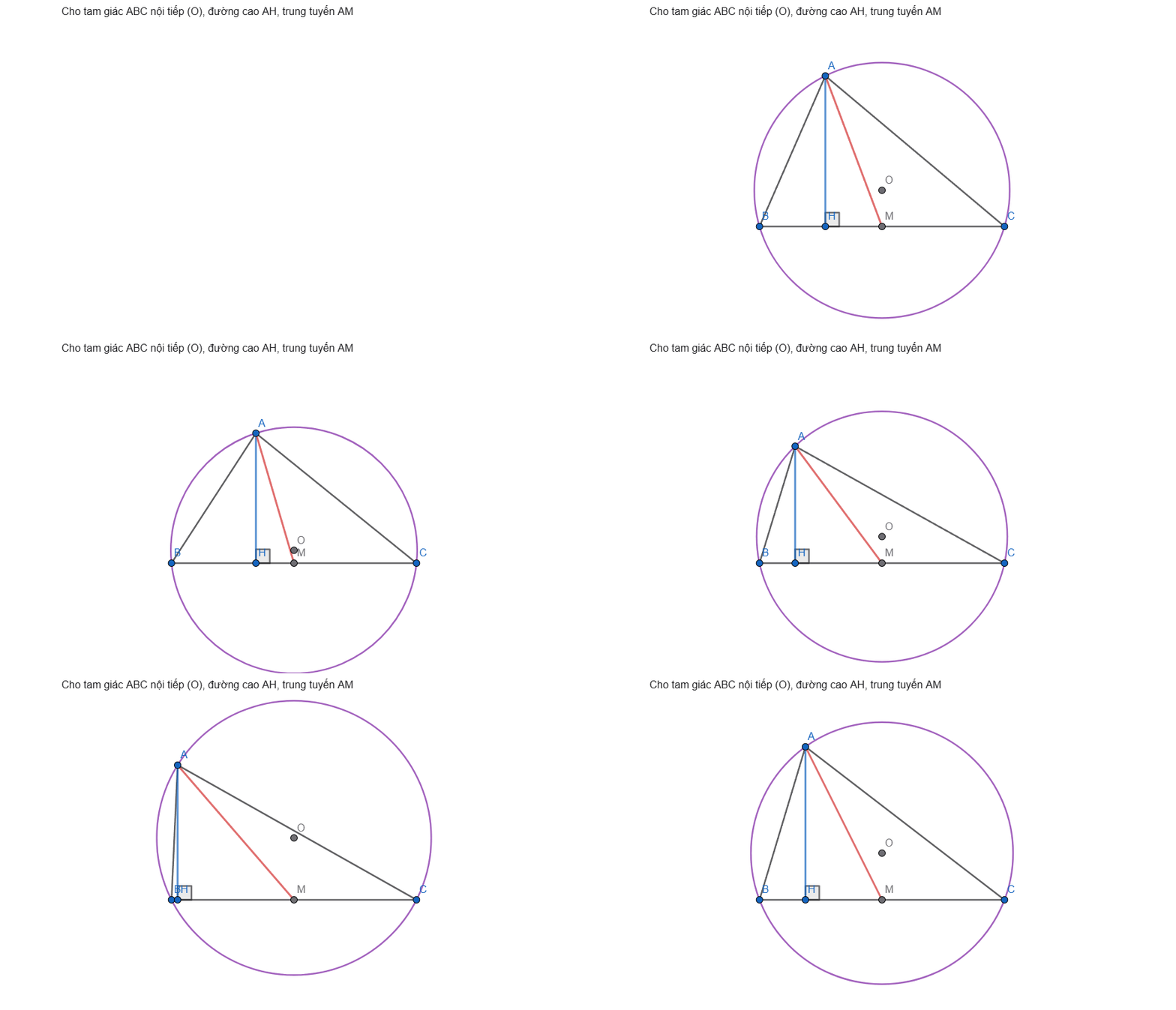
Then restart the client and ask, for example: "Vẽ tam giác ABC nội tiếp đường tròn (O), đường cao AH, M là trung điểm BC."
From source
git clone https://github.com/haison8x/geogebra-mcp.git
cd geogebra-mcp
npm install
npm run build
claude mcp add geogebra -- node /path/to/geogebra-mcp/dist/index.js
Configuration (environment variables)
| Variable | Default | Meaning |
|---|---|---|
GGB_BROWSER | try chrome, msedge, then Playwright Chromium | Browser channel |
GGB_HEADLESS | 0 | 1 to run without a window (testing) |
GGB_PROFILE_DIR | ~/.geogebra-mcp/profile | Browser profile (keeps the GeoGebra login). One server instance per profile. |
GGB_URL | https://www.geogebra.org/calculator | Page to open |
Development
Releasing: bump the version in package.json, .claude-plugin/plugin.json, .claude-plugin/marketplace.json, server.json (both version fields) and the pinned version in .mcp.json. Then push, npm publish, mcp-publisher publish, and create a GitHub release.
npm run build
npm run smoke              # end-to-end test through a real MCP client (headless)
npm run smoke -- --headed  # same, with a visible window
Notes
- Snapshots and undo history live in memory while the server runs.
License & GeoGebra
- The code in this repository is MIT-licensed (LICENSE). That license does not cover GeoGebra.
- GeoGebra® is a registered trademark of GeoGebra GmbH. This project is independent and contains no GeoGebra software; it drives your own browser on geogebra.org, so your use of GeoGebra falls under the GeoGebra license.
- GeoGebra is free for non-commercial use. Commercial use (paid materials, training, services…) needs a license from GeoGebra (office@geogebra.org).
- When you share figures, images or
.ggbfiles made with this tool, keep the attribution "Made with GeoGebra®" with a link to https://www.geogebra.org.
See NOTICE for details.







