Listed from the MCP registry; nobody on Odel publishes it.

Job-o-Matic
Local career database your AI keeps current and writes résumés from.
Runs on your machine from its package; the steps are below.
What it does
- Reads
- Writes
- High impact
At most: creates or changes data: records, files, settings.
What it costs
FreeOdel charges nothing per call. The publisher may charge for its own service.
Runs locally over stdio
This server isn't hosted — your MCP client launches it from a package registry. Use one of the commands below, or drop the config into your client (e.g. Claude Desktop).
Run
uvx job-o-matic
MCP client config
{
  "mcpServers": {
    "job-o-matic": {
      "command": "uvx",
      "args": [
        "job-o-matic"
      ]
    }
  }
}
A career database your AI uses to write your resumes, fast.
The labor-saving way to keep your career facts. Now with AI.
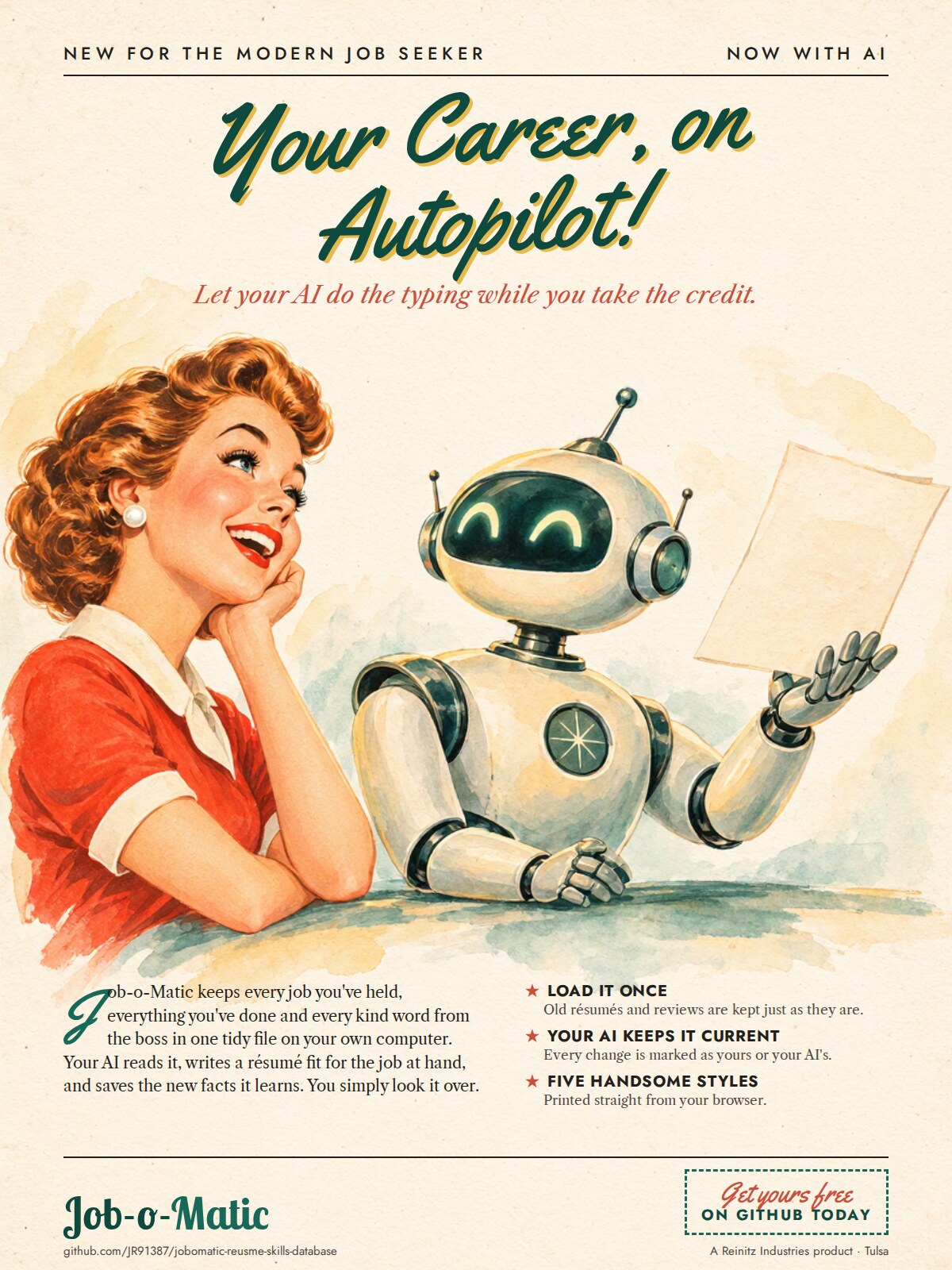
Load your work history once. From then on your AI keeps it up to date and pulls from it whenever you need a resume, a cover letter or an interview answer. You don't retype anything.
Runs on your computer · No account · Works with any MCP app or chat AI · Windows, Mac, Linux

| You | Your AI | Your AI |
|---|---|---|
| Seed it once. Drop in old resumes, reviews and job posts, or type the basics. Your files are kept unedited. | Keeps it current. Turns your files into facts, writes resume lines and saves new facts as it learns them. | Writes from it. Tailored resumes in five styles, cover letters and interview answers, from facts you've checked. |
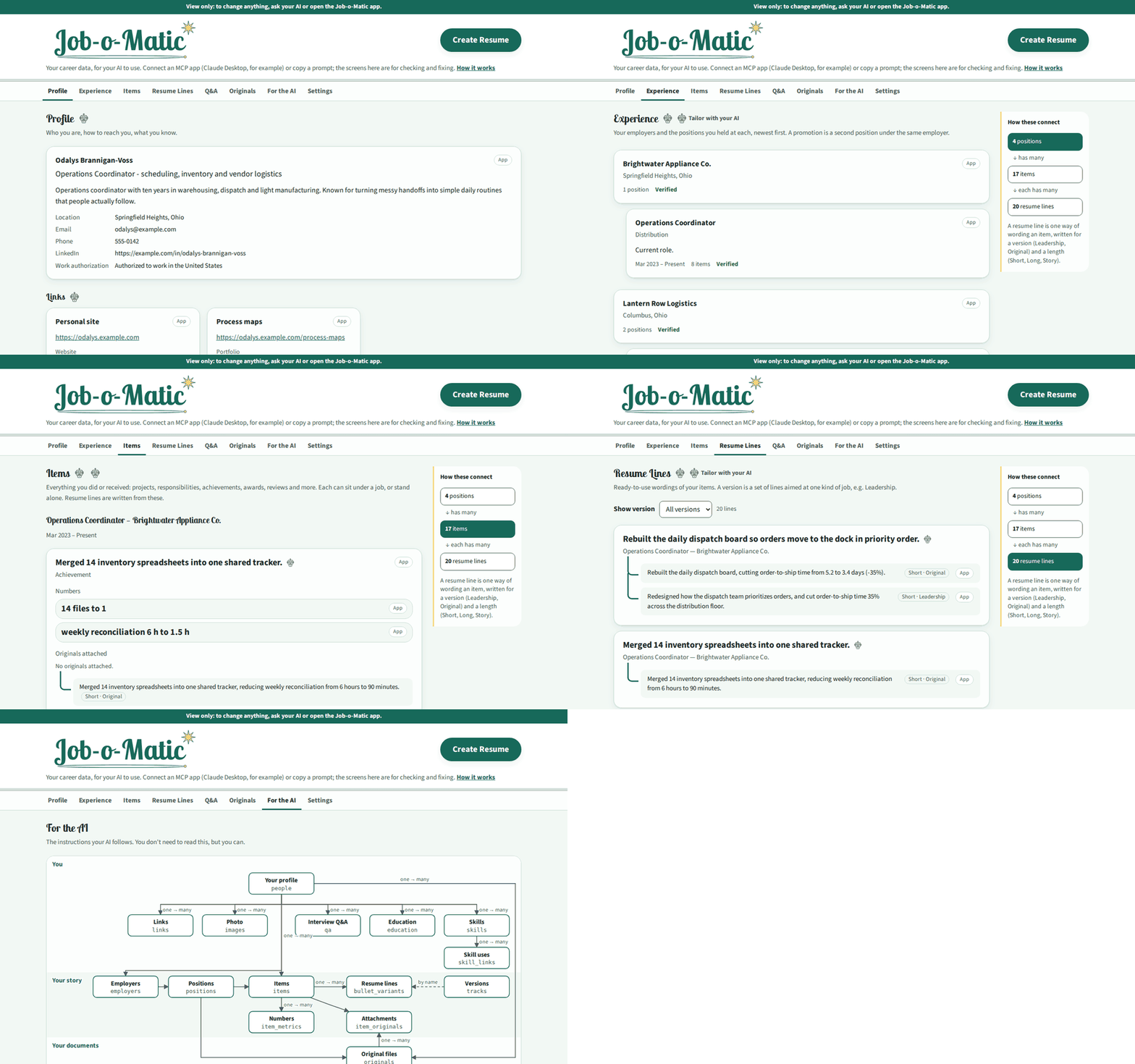
The screens are for checking and fixing. Most changes come from your AI, and each one is marked You or AI. Shown with the made-up demo data that ships with the app.
Documentation
The wiki explains the database and how to use it. It's written mainly for AIs; a copy lives in docs/wiki/ for agents working from a clone.
- If you are an AI: start at Quick Start for AI, then Data Model, Table Reference and MCP Tools.
- If you are a person: Install and First Run and Your Data and Privacy.
- If you are a developer: For Developers.
- Want to help? Open an issue, then a pull request. See CONTRIBUTING.md.
How your data flows
Everything lives in one file on your computer. You put facts in. Your AI reads them, saves what it finds and writes from them.
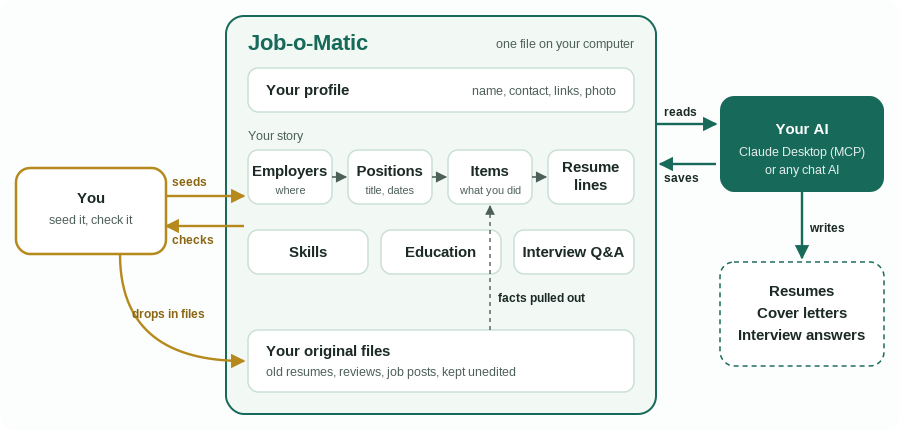
Yellow is what you do; green is what your AI does. An employer can have several positions, so a promotion stays under one company. An item is one thing you did; a resume line is one way of wording it. The full picture is in Data Model.
Get yours
Windows (PowerShell):
irm https://raw.githubusercontent.com/JR91387/jobomatic-reusme-skills-database/main/install.ps1 | iex
Mac / Linux:
curl -LsSf https://raw.githubusercontent.com/JR91387/jobomatic-reusme-skills-database/main/install.sh | sh
It installs Job-o-Matic and opens it. On first run it adds itself to your Start Menu or app menu (job-o-matic --remove-shortcut undoes that). It opens at http://127.0.0.1:8765/jobomatic/, a page on your own computer. It checks for updates once a day; you can turn that off in Settings.
Or download a zip from the newest release:
- Windows:
Job-o-Matic_v<version>_windows-x64.zip - Mac with an Apple chip (M1, M2, M3...):
Job-o-Matic_v<version>_macos-arm64.zip - Mac with Intel:
Job-o-Matic_v<version>_macos-x64.zip - Linux:
Job-o-Matic_v<version>_linux-x64.zip
Unzip it anywhere; Python comes inside. The app isn't paid-for "signed", so your computer warns you once:
- Windows: Extract All, double-click
Job-o-Matic.bat, then More info → Run anyway. - Mac: double-click
Job-o-Matic.command, click Done, then System Settings → Privacy & Security → Open Anyway. - Linux:
chmod +x job-o-matic.sh, then./job-o-matic.sh.
Manual options: pip install job-o-matic, then run job-o-matic. Or uvx job-o-matic-mcp to run just the MCP server.
The number is 8765 (or the next free number shown) in the window that stays open. Step-by-step help: Install and First Run.
Connect your AI
- An MCP app (Claude Desktop, for example) reads and saves your data directly. Quickest:
uvx job-o-matic-mcpfrom PyPI, no download needed. The zip also has a one-step Claude Desktop connector; see Install and First Run. - An AI that runs commands (Claude Code, Codex and similar): point it at
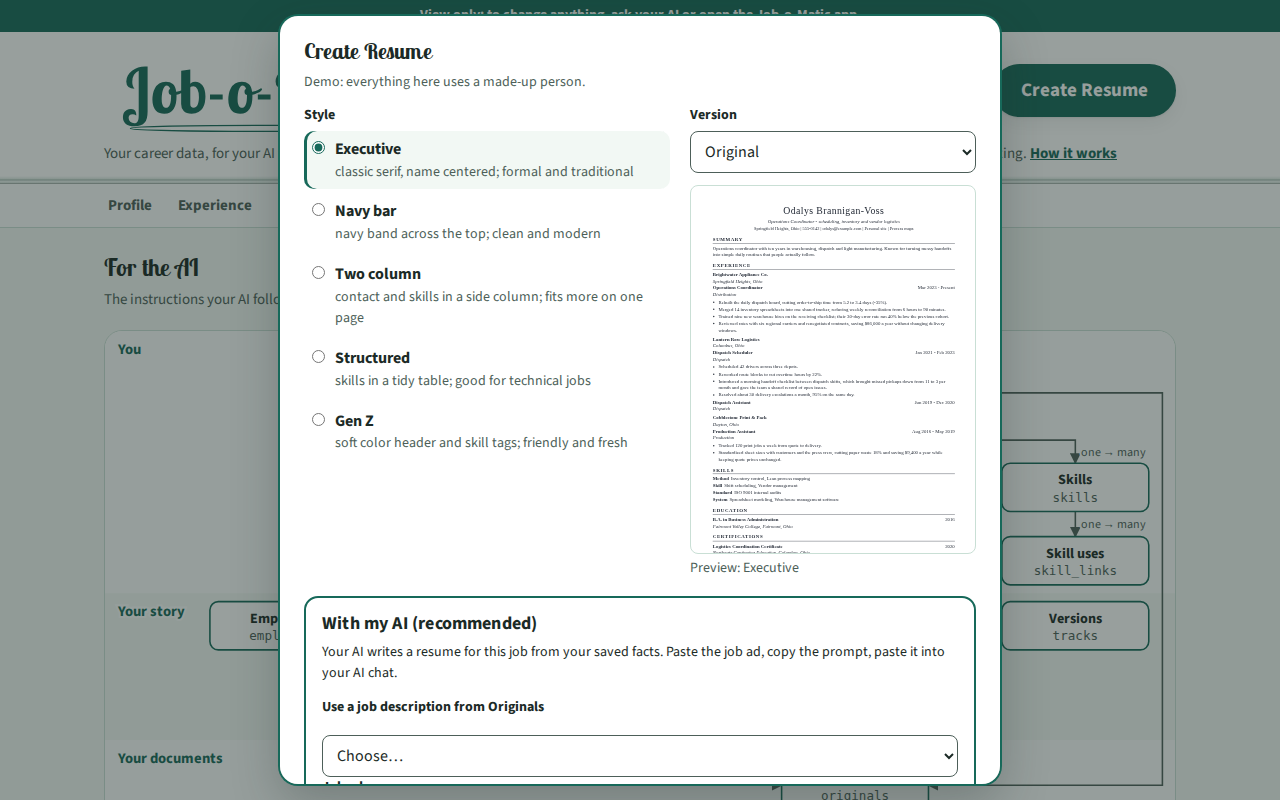
app/docs/AI_GUIDE.mdor Quick Start for AI. - Any chat AI: click the robot button or Create Resume, copy the prompt, paste it into your AI, and paste its answer back.
Then ask something like: "Read my old resume in Job-o-Matic's originals and fill in my experience."
Your data
Everything stays in the my_data folder next to the app, backed up daily. Your data is never sent anywhere; the only thing the app contacts is the daily update check. Details: Your Data and Privacy and PRIVACY.md.
Licence
MIT. See LICENSE, and NOTICE.md for the third-party parts.
Copyright (c) 2026 Jerry Reinitz
Built by Jerry Reinitz at Reinitz Industries: bespoke, effective software, developed in Tulsa. https://jerryreinitz.com
More from Reinitz Industries: Wagtail Kanban Content Calendar · Preen · /bully · /bruh · Calendar Forge