Listed from the MCP registry; nobody on Odel publishes it.

tshark-mcp
Read-only packet capture analysis with tshark: Diameter, GTP, SIP, RTP, SIGTRAN, DNS, TCP and TLS.
Runs on your machine from its package; the steps are below.
What it does
- Reads
- Writes
- High impact
At most: only reads or looks up information.
What it costs
FreeOdel charges nothing per call. The publisher may charge for its own service.
Runs locally over stdio
This server isn't hosted — your MCP client launches it from a package registry. Use one of the commands below, or drop the config into your client (e.g. Claude Desktop).
Run
uvx tshark-mcp-server
MCP client config
{
  "mcpServers": {
    "tshark-mcp": {
      "command": "uvx",
      "args": [
        "tshark-mcp-server"
      ]
    }
  }
}tshark-mcp: Wireshark analysis for AI assistants


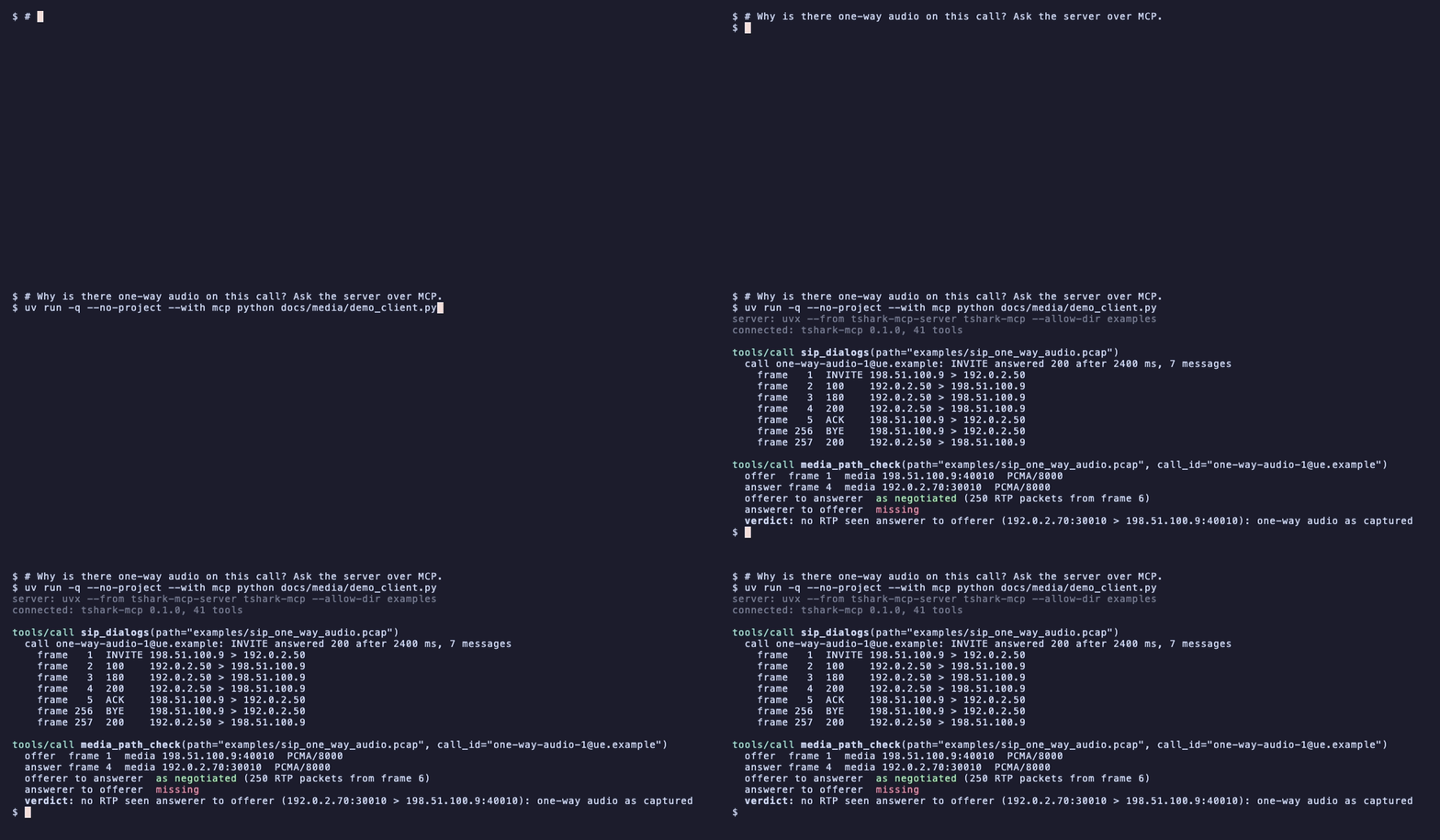
Drop a pcap, ask your AI assistant what went wrong, get an answer with frame numbers.
tshark-mcp is a read-only MCP server that runs tshark -r on captures you allow and turns
them into answers: failed connections, slow servers, DNS and TLS errors, one-way audio, and
the telecom failures generic tools miss (Diameter, GTP, SIP/IMS, SIGTRAN, 5G).
claude mcp add tshark-mcp -- uvx --from tshark-mcp-server tshark-mcp --allow-dir /path/to/pcaps
Needs uv and tshark (comes with Wireshark). Cursor, Claude Desktop, VS Code, Docker and the Claude Code plugin: the guide.
Why this one
- Answers, not packet dumps. Ask "what is wrong in this capture?" and
incident_summaryruns every check the capture's protocols allow, ranks the findings and names the next call. Every claim carries frame numbers you can open in Wireshark. - Built by a mobile core engineer. It pairs requests with answers across Diameter, GTP, PFCP, SIP, RTP and MAP, names the cause codes with their 3GPP reference, and follows one subscriber across all of them.
- Safe to hand to an agent. No shell, no live capture, no writes: only
tshark -ron files inside directories you allow, under hard caps on size, packets, output and time. Optional redaction hides IMSIs, phone numbers and IPs. - Checked against public captures. 102 public sample captures, 1,064 tool calls; every wrong answer found was fixed and is re-tested (results).
Learn more
- Guide: install, example questions, tool list, prompts, safety, limits
- Tool reference and a worked investigation
- Report a wrong answer or a bug
MIT licence, Copyright (c) 2026 Karl Hulse.







