Listed from the MCP registry; nobody on Odel publishes it.
Is this yours? Claim it
Perfboard Designer
Design perfboard and stripboard layouts, check the wiring and get a link to open them in the editor.
One address for any MCP client. No sign-in needed on this server.
What it does
8 read2 act2 other
Grouped by tool name. At most: creates or changes data: records, files, settings.
What it costs
FreeOdel charges nothing per call. The publisher may charge for its own service.
Tools
12 · grouped by tool name · checked 19 Nov 2026Read · 8Look things up
- list_parts
- get_part
- get_project
- validate_project
- get_nets
- get_pin_positions
- read_share_link
- show_board
Act · 2Change something
- edit_project
- make_share_link
Other · 2Neither hinted nor named
- new_project
- render_board
A browser-based layout editor for perfboard and stripboard (Veroboard) circuits.
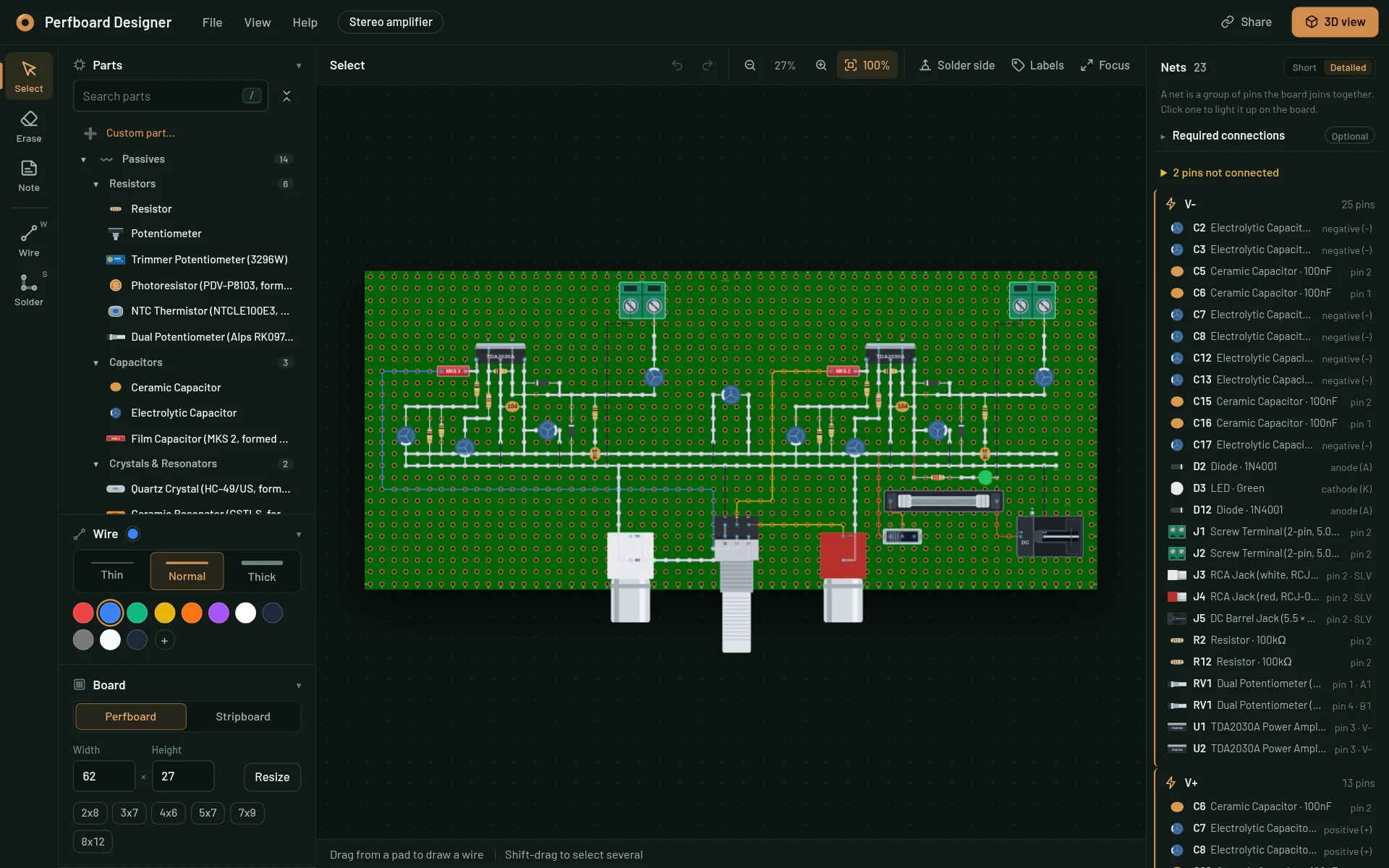
Place components and wires on the hole grid, mark strip cuts, and view the board in 3D.





Perfboard Designer is a free, open-source perfboard layout tool and stripboard (Veroboard) planner that runs in your web browser. Lay out resistors, capacitors, LEDs, transistors, MOSFETs, potentiometers, header pins and ICs (NE555, ATmega328P, Arduino Nano or your own custom chip) on a protoboard hole grid. Draw jumper wires the way you'll solder them, cut stripboard tracks where you need a break, and see the finished board in 3D. You catch mistakes on screen instead of at the soldering iron.
There's nothing to install, no account, and nothing is uploaded: your designs stay on your own device.
▶ Try it now: perfboarddesigner.com/app · 📖 User guide · 🔧 Learn layout & soldering · 🤖 Design boards with AI
Contents
- Features
- Stripboard (Veroboard) layout
- 3D board preview
- How to plan a perfboard layout
- Keyboard shortcuts and mouse controls
- FAQ
- Run it locally
- Project file format
- Design boards with AI (MCP server)
- Contributing
Features
- 🔌 Real component library: resistors with color bands worked out from their value
(type
4.7k, get yellow-violet-red), ceramic and electrolytic capacitors, inductors, diodes, colored LEDs, transistors, MOSFETs, potentiometers and header pins. - 📦 ICs and custom parts: drop in an NE555 timer, DIP-14 and DIP-16 logic chips, an ATmega328P or an Arduino Nano. Missing a part? Custom part… makes your own: a chip or dev board with labeled pins, a module with pins anywhere, or a part in a package the library has (a BC337 is a TO-92 transistor with its own pinout), and you can edit it again later. Chips and fixed-pin parts rotate in 90° steps.
- 🔘 Connectors, controls and power: 2-pin and 3-pin screw terminals, female headers, jumper caps, push buttons, slide switches, 3296W trimmers, and 7805 / LM317 regulators.
- 🔔 More outputs and named chips: buzzers, DPDT relays, four-lead RGB LEDs in common-anode and common-cathode variants, plus LM358, LM386, PC817, ULN2803A and 74HC595 DIP presets with labeled pins. All appear in both the 2D editor and 3D preview.
- 🧩 Displays, sensors and more controls: 2-, 4- and 8-position DIP switches, common-anode and common-cathode seven-segment displays, quartz crystals, ceramic resonators, LDRs, thermistors, film capacitors, 5×20 mm fuse holders, rotary encoders and DC barrel jacks. Each has 2D artwork and a dedicated 3D model; check the footprint notes for parts whose leads must be formed to fit the grid.
- 🔋 Everyday hobby parts: ATtiny85, L293D, CD4017, NE556, LM393, TL072, 74HC14, 4N35 and 6N137 DIP presets; 6×6 mm tactile, latching and toggle switches; 3 mm LEDs; 10-segment bar graphs and 4-digit seven-segment displays; DS18B20, DHT11/DHT22, IR receiver and electret microphone; 3.5 mm audio jacks, JST XH connectors, and CR2032, 2×AA and 18650 battery holders.
- 📟 Dev boards and breakout modules: Arduino Micro, Pro Micro, Pro Mini and Nano 33 IoT, STM32 Blue and Black Pill, Teensy 4.0, Seeed XIAO, NodeMCU, ESP32-S3 and ESP32-C3 DevKits, ESP-01; SSD1306 OLEDs and 16×2 LCDs; HC-SR04, MPU6050, BME280, BMP280, ADS1115, DS3231, microSD, nRF24L01, HC-05 and NEO-6M modules; LM2596, MP1584, MT3608 and TP4056 power modules; A4988 and DRV8825 stepper drivers, a relay module and the DFPlayer Mini. More chips too: 74HC gates and decoders, CD40xx logic, LM324, TL074, NE5532, ULN2003A, MAX7219, MCP23017, MCP3008 and more.
- 🔊 Amplifier parts: TDA2030A, TDA2050, LM1875, TDA2003 and TDA7297 power amps, a PAM8403 module, TO-126 driver transistors, 78xx and 79xx regulators, speakers, RCA and 6.35 mm jacks, a dual potentiometer for stereo volume and a PCB transformer.
- ✏️ Wires the way you solder them: jumper wires in any color and three thicknesses (thin, normal, thick). Straight runs of the same color merge into one wire automatically.
- 📐 Perfboard or stripboard, any size: start from a common board size (2×8 cm up to 8×12 cm) or enter your own hole count, then zoom, pan and go fullscreen while you work.
- 🏷️ Part names and values on the board: every part gets a reference designator (R1, C2,
U1…). Toggle Labels to show them with their values as on a silkscreen (
R1 10k). - 📝 Notes on any hole: label pads like
+9V,GNDorTP1so the layout still makes sense months later. - 🔗 Check the connections: the Nets panel lists which pins your wires and strips connect, live as you edit, plus pins left unconnected, wires that connect nothing, and LEDs, diodes and electrolytic capacitors that look backwards on the supply rails. Click a net to light it up on the board.
- 💾 Save, share and export: keep as many projects as you like in the browser, saved automatically as you go. Share a board with a link that opens a copy of it (no account or upload: the board is in the link), or ask for a short link instead. Download it as a JSON project file, or export it as a high-resolution PNG or an SVG image.
- 🤖 Design with AI: connect Claude, ChatGPT or another AI assistant to the MCP server, describe a circuit, and get back a link that opens the finished board in the editor.
- ↩️ Fast to work with: undo and redo, drag parts to move them, a right-click context menu, and keyboard shortcuts for the common actions.
Stripboard (Veroboard) layout
Switch any layout between Perfboard and Stripboard with one click. On a stripboard the copper strips run along every row (or every column), so parts on the same strip are already connected. Use the Cut tool to break a strip at a hole, for example under a DIP chip so its two rows of pins don't short. Click a cut again to mend it.
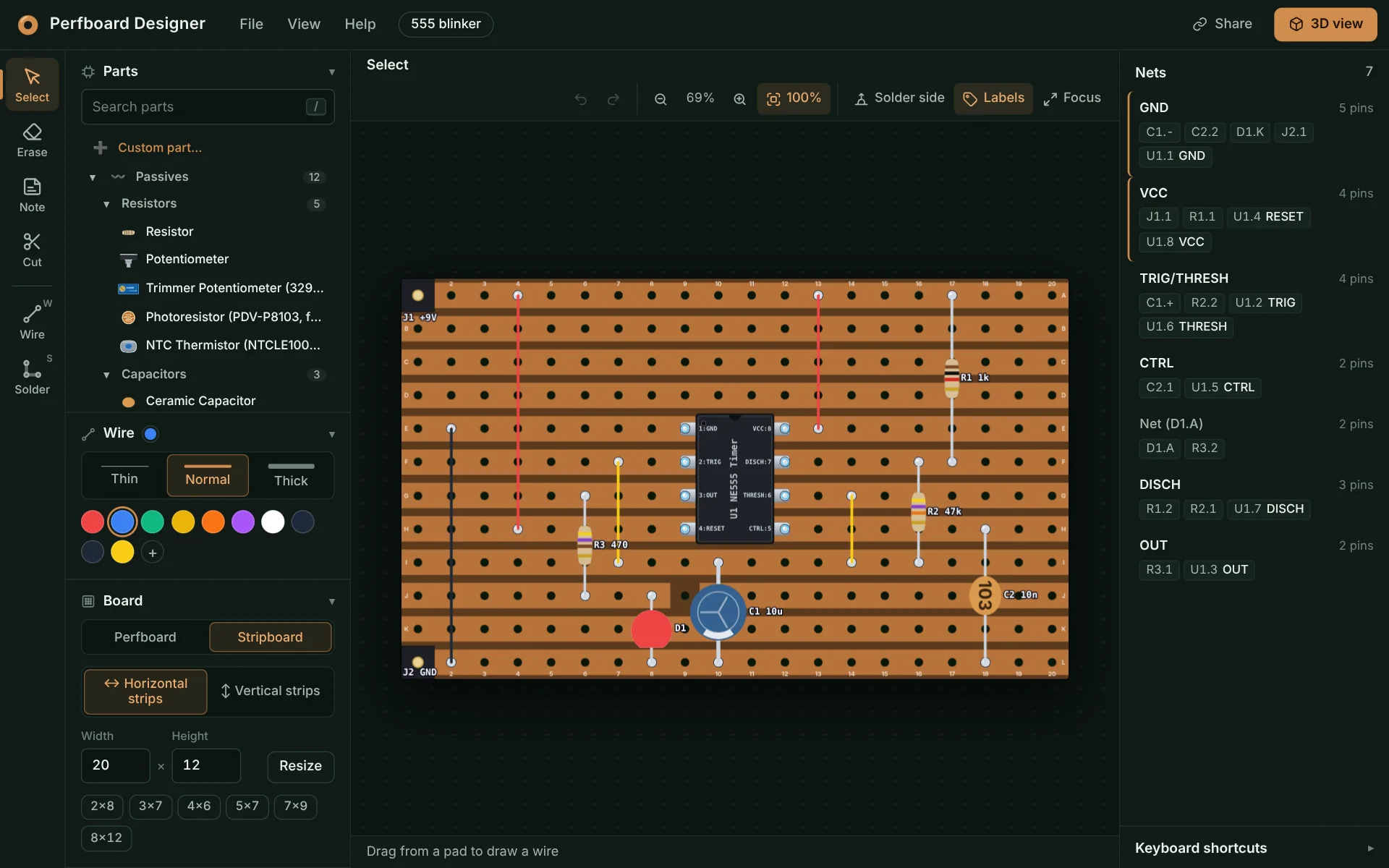
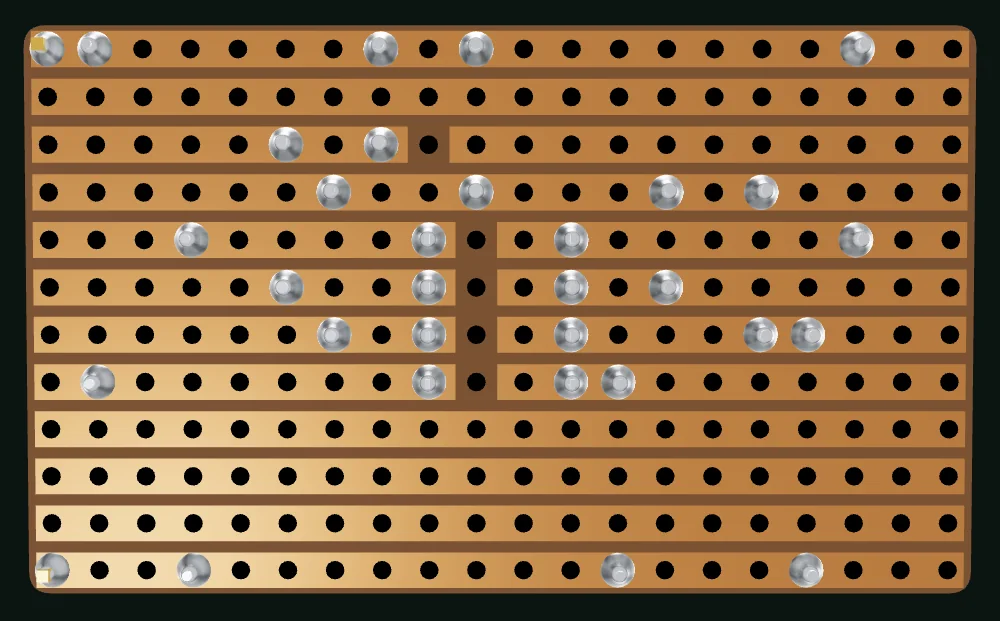
- Horizontal or vertical strips, on a board of any size.
- Turn the 3D view over to check the copper strips and cuts on the solder side.
- Switch back to perfboard at any time and your parts and wires stay put.
3D board preview
One click on 3D View turns the layout into a 3D model of the finished board: resistors with their color bands, ICs with labeled pins, LEDs, capacitors, transistors, pots, headers and every jumper wire, on a perfboard or stripboard sized to match yours.
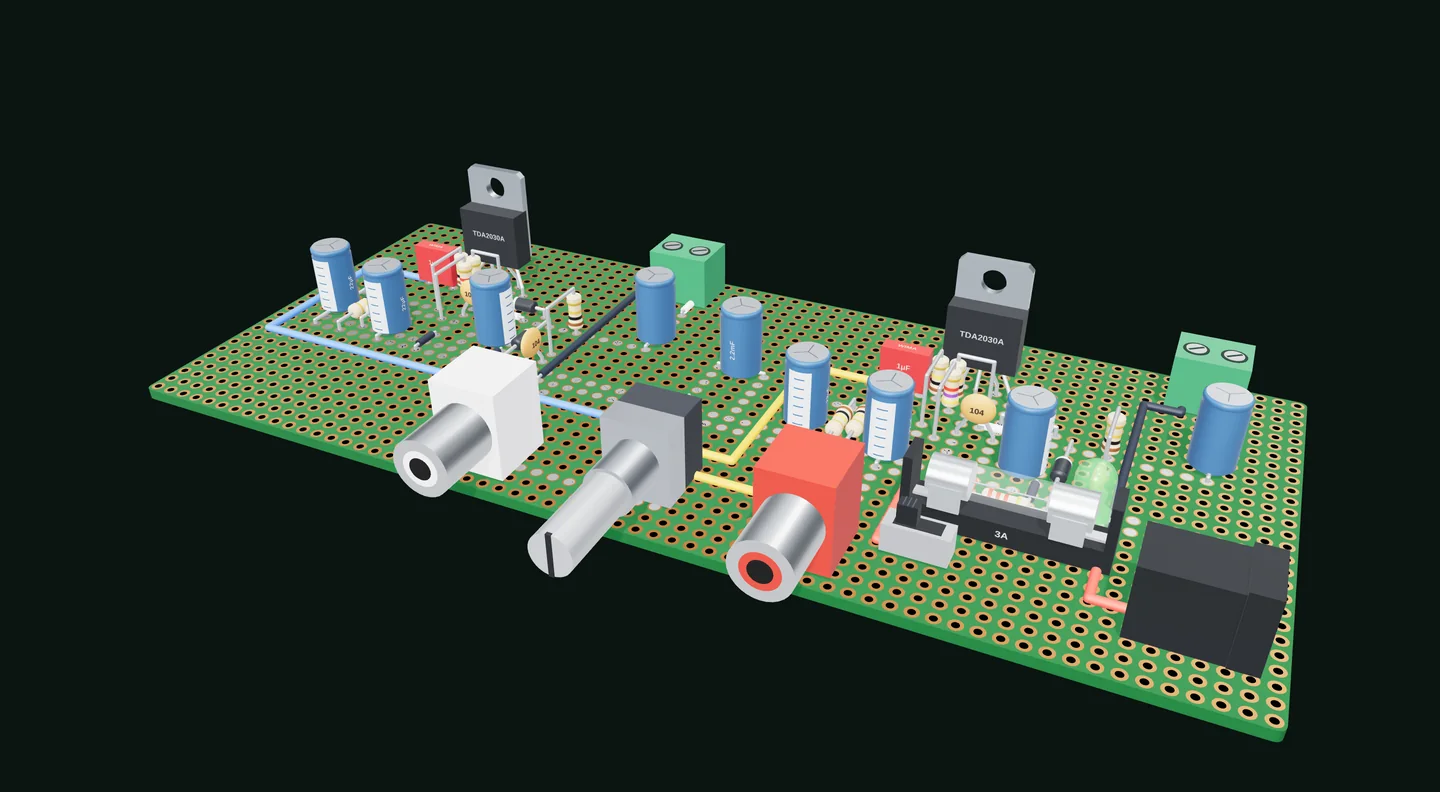
- Drag to orbit, right-drag to pan and scroll to zoom, or jump to an angled, top or bottom view.
- Check the solder side to see where wires and leads meet the copper.
- Save a screenshot of the render to share or keep next to your build.
- Export the board as a true-to-size 3D model (
.glb) for Blender, CAD tools or any glTF viewer.
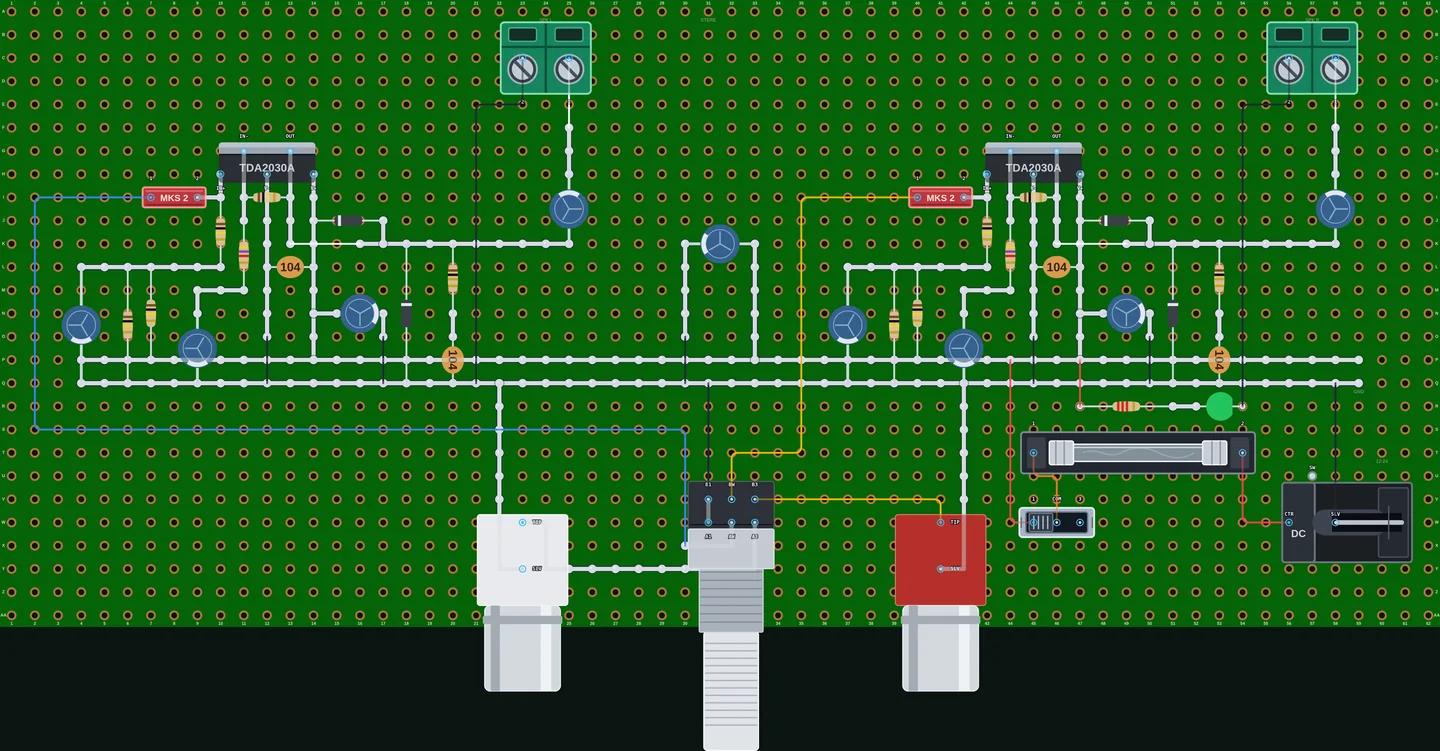
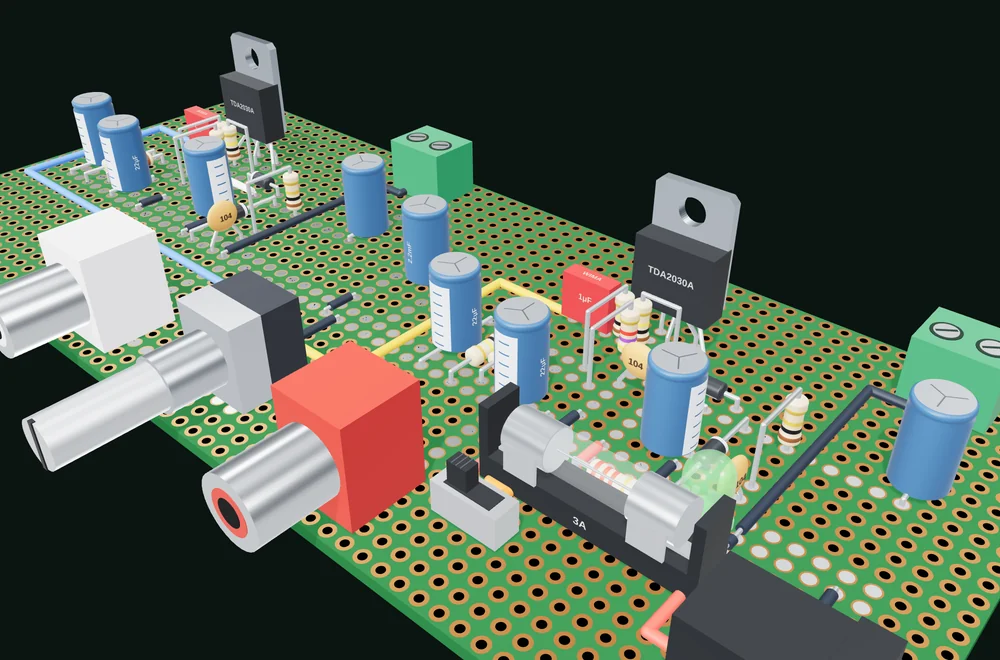
Component variants use the board's 2.54 mm hole grid. Check the component footprint notes for package details, pin labels, and parts whose leads must be formed to fit the grid. The models are layout previews, not manufacturing drawings. To explore the expanded catalog in 2D and 3D, import one of the component galleries: connectors, batteries, switches, displays and LEDs, passives and sensors and DIP chips. They show parts, not working circuits.
How to plan a perfboard layout
- Pick your board: open the designer, choose Perfboard or Stripboard, then a preset or the number of holes across and down to match the board on your bench.
- Place parts and wires: pick a component, then click the holes for its leads. Rotate chips
with
Rand draw wires between pins with the Wire Tool (W). - Check it in 3D: open 3D View to see how everything fits, and flip the board to check the solder side.
- Save it and build it: use File → Save Project to File to keep the design, and File → Export PDF for a project sheet: the board from both sides, the components and a shopping list, the nets and checks, and true-size pages to lay your parts on at the workbench.
Keyboard shortcuts and mouse controls
| Action | Shortcut / gesture |
|---|---|
| Toggle the wire tool | W |
| Rotate the selected chip or part | R |
| Add a note to the selected hole | D |
| Remove a hole's note | Shift + D |
| Change the selected wire's color | C |
| Delete the selected parts and wires | Delete |
| Select several parts and wires | Shift + click, Shift + drag a box, or Ctrl + A |
| Copy, cut, paste (at the pointer), duplicate | Ctrl + C / X / V / D |
| Undo / redo | Ctrl + Z / Ctrl + Y |
| Deselect, or step back out of a tool | Esc |
| Fullscreen | F |
| Download the board as an image | P |
| Zoom (20% to 300%, around the cursor) | Mouse wheel, or the 🔍 buttons |
| Pan | Left-drag empty space, Space + drag, or middle-mouse drag |
| Rotate, recolor, add a note, set a value or delete | Right-click |
FAQ
Is Perfboard Designer free?
Yes. It's completely free and open source, with no account, ads or limits.
Do I need to install anything?
No. It runs in any modern web browser, and works best on a desktop or laptop with a mouse.
Where are my designs saved?
On your own device. Your projects are saved in this browser automatically as you edit: open,
rename, duplicate or delete them from File → Open Project. Save Project to File downloads a
project file you can import again (or just drag onto the editor) or share, and Share makes a
link with the board inside the link itself. Nothing is uploaded to a server, unless you ask Share for a short link: then
a copy of that board is stored at projects.perfboarddesigner.com so the short link can open
it, and deleted after a year unopened. If you accept analytics cookies, Google Analytics counts
which pages are visited, never what's on your boards; Cookie settings (in the site's footer, or
the editor's Help menu) changes that.
Does it work for stripboard (Veroboard)?
Yes. Switch the board to Stripboard and copper strips run along every row or column. Use the Cut tool to cut a strip at any hole; the cuts are saved with your project and shown on the copper side of the 3D view.
Can I add a part that isn't in the list?
Yes. Click Custom part… at the top of the parts list and pick what it is: a chip or dev board (set its size and label every pin), a module with pins anywhere on its board, or a part in a package the library has, such as a BC337 transistor (a TO-92 with its own pinout). You can edit it again later, and it travels with every board and share link that uses it.
Does it simulate or check my circuit?
It checks the wiring, not the circuit. The Nets panel shows which pins are connected to which, and points out pins left unconnected and wires that connect nothing, so you can compare the board with your schematic. It doesn't simulate how the circuit behaves.
Is there a guide?
Yes: the user guide walks through every tool, panel and shortcut. It's also under Help in the editor.
Run it locally
You need Node.js 16 or newer.
git clone https://github.com/MaurerKrisztian/perfboard-designer.git
cd perfboard-designer
npm install
npm run start
Then open http://localhost:3000/app/ for the editor (http://localhost:3000/ is the landing page).
| Command | What it does |
|---|---|
npm run start | Dev server with hot reload |
npm run build | Type-check and build the site into dist/ |
npm run serve | Preview the production build |
npm run lint | Lint src/ with ESLint |
It's built with TypeScript: a React UI over an editor core that draws the board with the HTML5 Canvas API. Vite bundles it, and three.js powers the 3D view (it's lazy-loaded, so the editor itself stays small).
Project file format
Projects are saved as plain, readable JSON (format version 8 with optional requirements, else the oldest version that holds the board): the board
type and size, strip cuts, wires (with any corners they bend at), and every part with its reference
designator, all as [column, row] grid positions rather than pixels. Files from older versions
still open. The format is documented field by field
in src/project-file/project-file.ts, and the
examples/ folder has sample projects to open with File → Import Project from File.
Share links carry the same file, and can be made by other programs (an AI agent designing a board,
say): see docs/share-links.md.
Requirements
A project file can carry optional requirements: the connections the board is meant to have, written by an AI agent (through the MCP server) or another program. When a board has them and checking is on, the Nets panel compares them with the actual wiring and reports missing connections, unexpected joins and missing components or pins; click a report to highlight its board nets. Unspecified pins stay unchecked, so partial requirements never report a full match. Board edits never change requirements, and parts you add join their component list unconnected.
Design boards with AI (MCP server)
Describe a circuit to your AI assistant and get back a board that opens in the editor. The
mcp/ folder is an MCP server that lets Claude,
ChatGPT, Cursor, VS Code and other AI assistants design boards. It's free and needs no account.
What the assistant can do with it:
- Look up every part in the library, with its pins and polarity.
- Start a perfboard or stripboard, place parts, route wires and cut strips.
- Make parts the library doesn't have: a transistor in a known package with its own pinout, a sensor module, a custom chip. They open in the editor like the ones you make yourself.
- Check the wiring: pins left unconnected, parts sharing a hole, shorted supply rails, LEDs and electrolytic capacitors in backwards, strips shorting a chip. Given the netlist it meant, it reports every missing or extra connection.
- Hand you a share link (and a short link if you ask) that opens the board in the editor.
- Show you a picture of the board right in the chat, in Claude and ChatGPT.
- Read a board link you share with it, change the board and give you a new link.
Use the hosted server: add this address to your assistant as a remote MCP server (connector), with no authentication:
https://mcp.perfboarddesigner.com/mcp
Or run it on your own computer from npm
(perfboard-designer-mcp, Node.js 22+).
In Claude Code:
claude mcp add --scope user perfboard -- npx -y perfboard-designer-mcp
It's also listed in the MCP Registry as
com.perfboarddesigner/mcp. Step-by-step setup for each assistant is on the
MCP server page, and
mcp/README.md covers the tools, settings and hosting your own copy.
Contributing
Bug reports, ideas and pull requests are welcome:
- 🐞 Report a bug or suggest a feature
- 🔧 Fork the repo and open a pull request
- 👥 See the people who've already helped
If Perfboard Designer saved you a desoldering session, a ⭐ on GitHub helps other makers find it.
License
Distributed under the ISC License.