Listed from the MCP registry; nobody on Odel publishes it.
Stealthy Auto Browse
Self-hosted MCP server for stealth browser automation with human-like OS-level input.
Runs on your machine from its package; the steps are below.
What it does
- Reads
- Writes
- High impact
At most: moves money, runs code or commands, deletes data, or sends messages for you.
What it costs
FreeOdel charges nothing per call. The publisher may charge for its own service.
Runs locally over stdio
This server isn't hosted — your MCP client launches it from a package registry. Use one of the commands below, or drop the config into your client (e.g. Claude Desktop).
Run
docker run -i --rm docker.io/psyb0t/stealthy-auto-browse:v3.9.2
MCP client config
{
  "mcpServers": {
    "stealthy-auto-browse": {
      "command": "docker",
      "args": [
        "run",
        "-i",
        "--rm",
        "docker.io/psyb0t/stealthy-auto-browse:v3.9.2"
      ]
    }
  }
}



Stealth browser automation that actually works. One Docker container runs Camoufox on a graphical display, accepts JSON HTTP and MCP commands, sends real OS-level mouse and keyboard input, and exposes a live noVNC viewer. It supports single-browser sessions, atomic scripts, page loaders, recording, virtual media, CAPTCHA detection, optional CAPTCHA solver providers, and clustered browsers with Redis cookie sync.
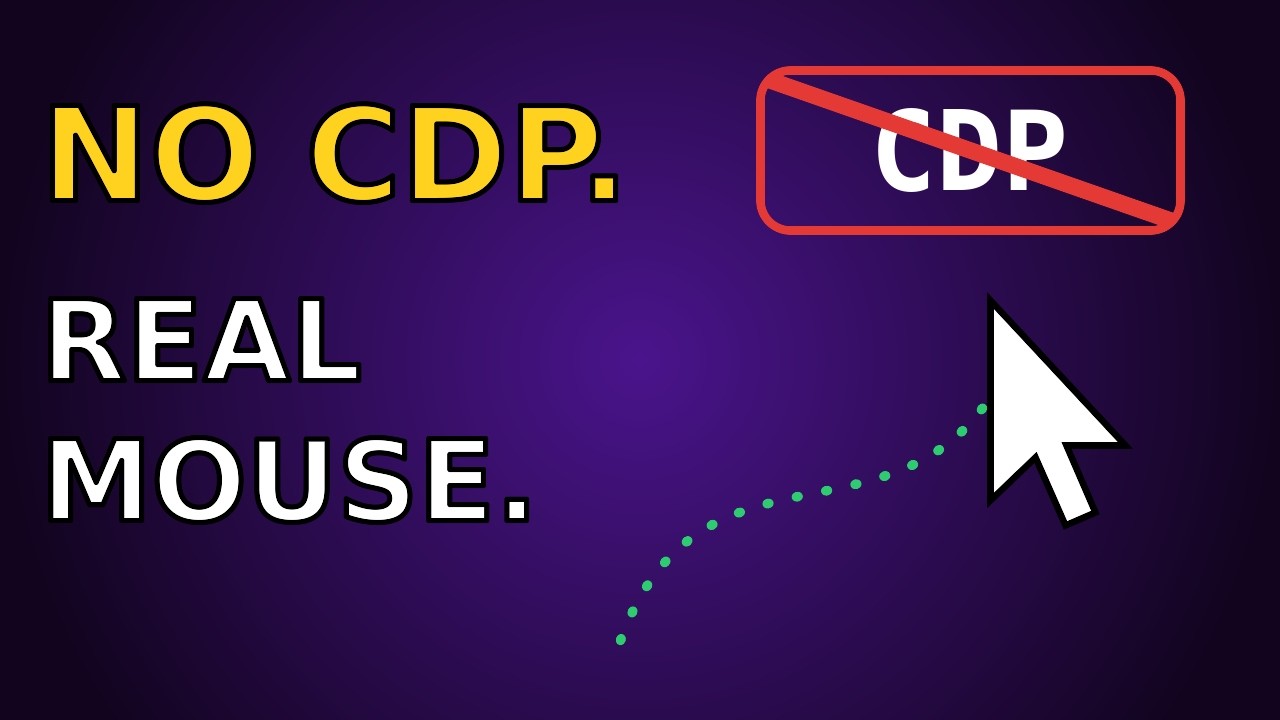
The image avoids Chromium CDP signals and keeps its generated Linux font and WebGL fingerprints internally consistent. Detection results still depend on the site, network exit, timezone, browser build, and test date.
The video walkthrough starts the container, watches it in noVNC, drives it over HTTP with real OS-level input, and runs the bundled examples:
Contents
- Quick start
- How it works
- HTTP API
- MCP and agent integrations
- Optional features
- Cluster mode
- Configuration and security
- Development
- Detection testing
- Documentation
- Sponsor
- License
Quick start
docker run -d --name browser \
  -p 127.0.0.1:8080:8080 \
  -p 127.0.0.1:5900:5900 \
  psyb0t/stealthy-auto-browse
Open http://localhost:5900/ to watch the browser. Port 8080 serves the HTTP API and MCP server.
# Navigate
curl -X POST http://localhost:8080 \
  -H "Content-Type: application/json" \
  -d '{"action":"goto","url":"https://example.com"}'

# Read the page
curl -X POST http://localhost:8080 \
  -H "Content-Type: application/json" \
  -d '{"action":"get_text"}'

# Click with OS-level input
curl -X POST http://localhost:8080 \
  -H "Content-Type: application/json" \
  -d '{"action":"system_click","selector":"body"}'

# Capture a token-sized screenshot
curl "http://localhost:8080/screenshot/browser?whLargest=512" -o screenshot.png
Run several actions atomically with run_script:
curl -X POST http://localhost:8080 \
  -H "Content-Type: application/json" \
  -d '{
    "action": "run_script",
    "steps": [
      {"action": "goto", "url": "https://example.com"},
      {"action": "get_text", "output_id": "text"},
      {"action": "eval", "expression": "document.title", "output_id": "title"}
    ]
  }'
The server serializes requests in single-instance mode. Navigation has bounded retries and timeouts. See the HTTP API reference for every action and parameter.
How it works
| Component | Purpose |
|---|---|
| Camoufox | Patched Firefox with no Chrome DevTools Protocol and an isolated automation world. |
| Xvfb and Openbox | Full graphical display and window management without a physical monitor. |
| PyAutoGUI and XTest | Trusted OS-level mouse, keyboard, and wheel events with humanized timing. |
| HTTP API and MCP | Remote browser control on port 8080. |
| noVNC | Live browser view on port 5900, with the automated pointer visible by default. |
| ffmpeg | MP4 recording from the X11 display. |
The desktop, VNC, the HTTP and MCP server, script mode, recording, the clipboard and the humanized input come from auto-linux-desk, the base image; this image adds the browser as its plugin. The base's desktop actions, such as window control and keyboard shortcuts, work here too. Its run_command and launch_app are off unless DESK_EXEC_ENABLED=true.
The image includes uBlock Origin, LocalCDN, ClearURLs, and Consent-O-Matic. Optional CAPTCHA solver integrations are disabled unless configured.
Two input modes are available. Playwright actions such as click and fill are fast DOM operations. System actions such as system_click, system_type, mouse_move, and scroll send OS-level input with paths and timing fitted to published human input data. human_pause represents visible reading, review, or composition time without continuously jiggling the pointer. Use the system actions when trusted input or behavior matters. See Stealth and input behavior and Humanized input.
HTTP API
Send POST / with an action and its parameters. The API covers navigation, iframe and open-shadow DOM targeting, accessibility lookup, stable element references, DOM and system pointer input, human handoff, tabs and windows, browser events, permissions, network interception and HAR, rich clipboard access, PNG capture, recording, virtual media, challenge detection, waits, logs, and JavaScript evaluation.
Useful read endpoints:
GET /healthGET /stateGET /eventsGET /screenshot/browserGET /screenshot/desktop
detect_challenge reports known challenge widgets without clicking or solving them. See Challenge detection.
MCP and agent integrations
The Streamable HTTP MCP server lives at http://localhost:8080/mcp/. It exposes dedicated tools for common actions plus browser_action and run_script for the complete API.
Published integrations are available for Claude Code, Codex, and OpenClaw. See MCP and agent integrations for installation, authentication, dedicated tools, and cluster behavior.
The source skill is under .agents/skills/stealthy-auto-browse. Set STEALTHY_AUTO_BROWSE_URL and AUTH_TOKEN where the client integration requires them.
Optional features
- Script mode: Pipe YAML to
docker run --rm -i ... --scriptand receive JSON on stdout. Conditions, branches, bounded loops, and output references are supported. See Script mode. - Page loaders: Run URL-matched YAML actions in place of navigation to handle repeated page cleanup. See Page loaders.
- Clipboard:
set_clipboardandget_clipboarduse the real X11 clipboard shared by Camoufox and noVNC. They support UTF-8 text, HTML, PNG, and file URI lists. Enter text withpaste_text, which pastes it with human timing, orfillwhere DOM input is acceptable; keepsystem_typefor a few characters. See Clipboard. - Virtual camera and microphone: Mount media under
/mediaand configure static or dynamic sources forgetUserMedia()tests. See Virtual camera and microphone and Configuration. - Recording:
start_recordingandstop_recordingwrite collision-safe MP4 files to a mounted/recordingsdirectory. See Screen recording. - CAPTCHA solver providers: Configure one supported provider through environment variables. Official Firefox extensions are checksum-verified before use. Anti-Captcha uses its official HTTP API. No provider is installed or contacted by default. See CAPTCHA solver providers.
Cluster mode
docker-compose.cluster.yml runs several browsers behind HAProxy with request queuing, sticky sessions, and Redis cookie sync. The default is five browser replicas with a 5 GB memory limit each. When NUM_REPLICAS > 1, MCP exposes only run_script; HTTP also permits ping and sleep. Each script keeps its sequence on one browser.
See Cluster mode for setup, scaling, health checks, and resource controls.
Configuration and security
Set AUTH_TOKEN to require a Bearer token on HTTP and MCP endpoints except /health. This does not authenticate noVNC:
docker run -d \
  -p 127.0.0.1:8080:8080 \
  -p 127.0.0.1:5900:5900 \
  -e AUTH_TOKEN=your-token-here \
  psyb0t/stealthy-auto-browse
Keep the API and noVNC ports on loopback unless a trusted network or authenticated reverse proxy protects them. Match TZ to the proxy exit location. Persist /userdata when browser identity and session state must survive restarts.
The configuration reference covers every environment variable, proxies, persistent profiles, extensions, virtual media, VNC, and solver providers.
Development
Docker is the only development dependency. The Makefile runs tooling in the project dev image.
make build
make lint
make test-unit
make test
make test-real
make sec
make test-real is opt-in because it calls public detector sites. Use make help for all targets.
Detection testing
Observed results are not a promise for every site or future detector version. Test the exact image, proxy, timezone, and target flow you plan to use.
The live suite checks fingerprint consistency on liarjs.dev and compares humanized system input against Playwright, synthetic DOM, and raw PyAutoGUI controls on DeviceAndBrowserInfo and FCaptcha. The deterministic suite also runs open-source behavioral detectors with robotic controls that must be caught. Current methods and observed results are in Stealth and input behavior.
Documentation
Full documentation covers installation, the complete action reference, agent integrations, configuration, workflows, clusters, testing, and troubleshooting.
- Installation and security
- Configuration
- HTTP API reference
- MCP and agent integrations
- Script mode
- Page loaders
- Cluster mode
- Stealth and input behavior
- Troubleshooting
- Development
- llms.txt, the page index for AI agents
- Changelog
Sponsor

License
Copyright (C) 2026 Ciprian Mandache. Licensed under the GNU Affero General Public License v3.0 only (AGPL-3.0-only). If you run a modified version as a network service, you must offer its source to the people who use it. Releases up to 3.7.0 were published under the WTFPL and keep it. The browser and extensions in the image keep their own licenses; see THIRD_PARTY.md. The OpenClaw plugin in .agents/plugins/stealthy-auto-browse is MIT.







