Marrow
Read-only MCP access to your own Apple Health data, mirrored from the Marrow iOS app.
Runs on your machine from its package; the steps are below.
What it does
- Reads
- Writes
- High impact
At most: only reads or looks up information.
What it costs
FreeOdel charges nothing per call. The publisher may charge for its own service.
Runs locally over stdio
This server isn't hosted — your MCP client launches it from a package registry. Use one of the commands below, or drop the config into your client (e.g. Claude Desktop).
Run
uvx marrow-mcp
MCP client config
{
  "mcpServers": {
    "marrow": {
      "command": "uvx",
      "args": [
        "marrow-mcp"
      ]
    }
  }
}marrow-mcp
Give your AI agents read-only access to your own Apple Health data.
Marrow is a free iOS app that tracks 178 health data series - 172 Apple Health types plus its own meal diary and set-by-set weightlifting log. This repo is its self-hosted companion server: one Python file, standard library only, that keeps a SQLite mirror of your data on hardware you own and serves it over the Model Context Protocol so agents can query it 24/7, phone in your pocket.
Nothing here talks to a cloud. Data flows phone → your machine, full stop.
Run it
python3 marrow_server.py                      # prints a pairing URL
python3 marrow_server.py --port 8800 --data ./data
or
docker compose up -d
Open the pairing URL on any screen, then in Marrow: Server → Pair with a server → scan. From then on the app's background pushes keep the mirror current with the app closed.
Connect an agent
The server speaks MCP over Streamable HTTP (JSON-RPC 2.0, protocol version
2025-06-18), authenticated with a bearer token it generates on first run and
prints alongside the pairing link.
Claude Code
claude mcp add --transport http marrow \
  http://<server-ip>:8800/mcp \
  --header "Authorization: Bearer <mcp token>"
Claude Desktop, one click
Download marrow.mcpb,
double-click it, and Claude Desktop installs the extension and asks for the
URL and token. No terminal involved. (The bundle is a tiny zero-dependency
bridge in mcpb/; it forwards Claude's stdio to your Marrow URL and nothing
else.)
Claude Desktop (manual), Cursor, or anything using an mcp.json
{
  "mcpServers": {
    "marrow": {
      "type": "http",
      "url": "http://<server-ip>:8800/mcp",
      "headers": { "Authorization": "Bearer <mcp token>" }
    }
  }
}
Check it by hand
curl -s http://<server-ip>:8800/mcp \
  -H "Authorization: Bearer <mcp token>" \
  -H "Content-Type: application/json" \
  -d '{"jsonrpc":"2.0","id":1,"method":"tools/list"}'
Tools
All read-only. Nothing an agent can call writes to your health record.
| Tool | Returns |
|---|---|
health_summary | Recent days across activity, heart, sleep and nutrition |
list_metrics | Every metric in the mirror, with units and coverage |
metric_daily | Daily values for any metric, up to 400 days |
metric_samples | Raw records with timestamps and source devices |
workouts | Workouts, including set-by-set strength detail |
nutrition_log | The meal diary: every logged food with full nutrient detail, by day |
strength_log | Every lifting set with estimated 1RM, per-exercise progression, and volume per muscle group |
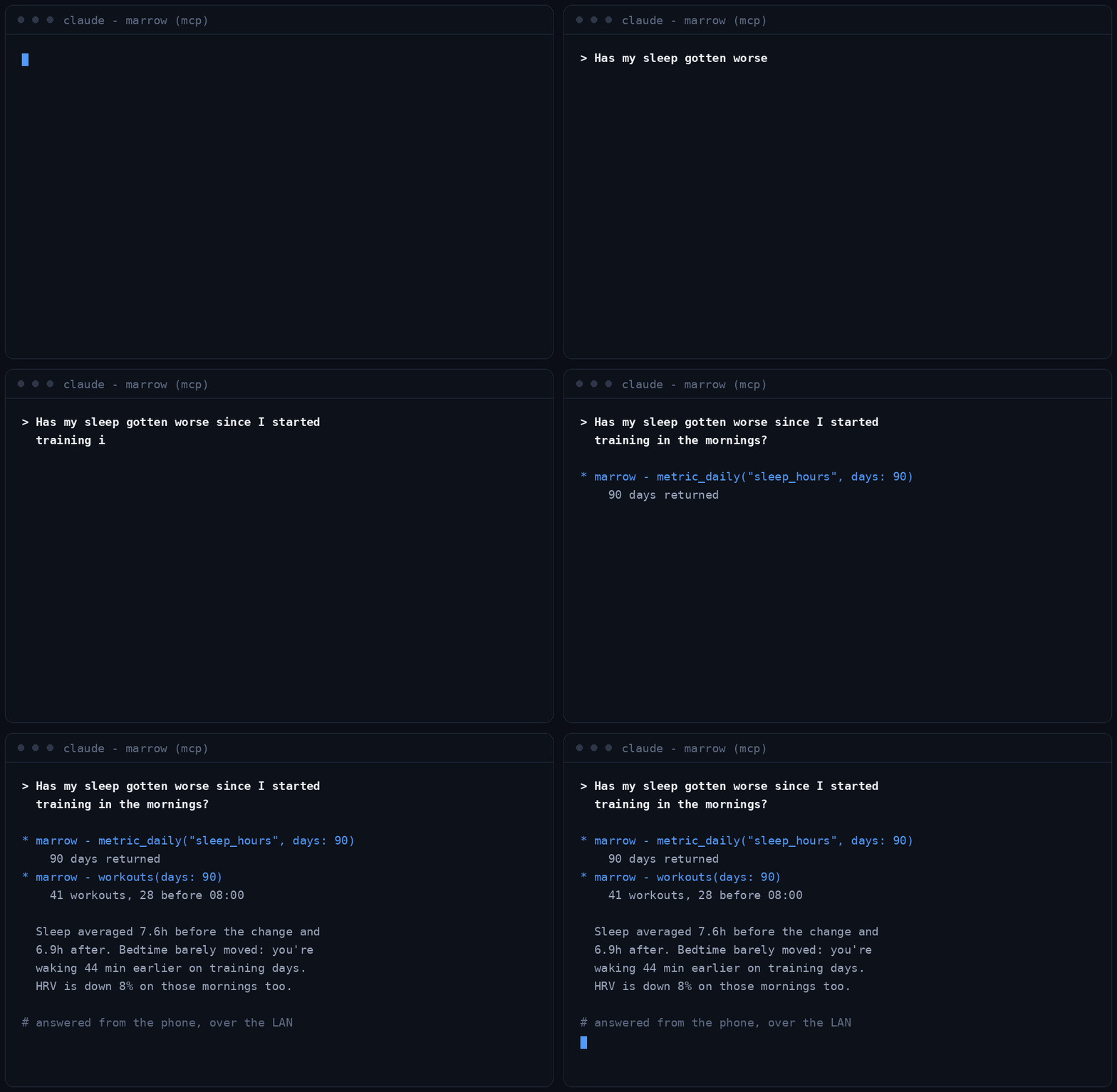
Then ask your agent things like "how did my sleep change once I started training in the mornings?" and let it go and look.
Why not the built-in Claude or ChatGPT connector?
Both Claude (Pro/Max, US) and ChatGPT now read Apple Health natively. Use them if that is all you need. They stop where this server starts:
| Claude / ChatGPT connector | Marrow + this server | |
|---|---|---|
| Where it works | The iOS app only | Claude Code, Claude Desktop, Cursor, OpenClaw, Hermes, any MCP client, on any machine |
| When it works | While you are in the chat on the phone | 24/7, phone in your pocket, from your own box |
| What the model sees | Raw HealthKit numbers | Daily values reconciled against Apple's own totals, meal diary, set-by-set lifts |
| Where the data lives | Their cloud, per conversation | SQLite on hardware you own |
| Cost | Subscription | Free, MIT |
OpenClaw / Hermes / any agent on a home machine. Point the agent's MCP
config at the server URL with the bearer token, exactly as in the mcp.json
block above. Reach it from outside the LAN with tailscale serve --bg --https=8800 http://127.0.0.1:8800 and use the tailnet URL.
The other three ways in
This server is one of four, and you do not need it to give agents access:
- On-device MCP. Marrow runs the same MCP surface on the iPhone itself at
http://<phone-ip>:21212/mcp, answering while the app is running. Richest data, zero extra hardware. - This server. Always-on mirror on your own box.
- Relay gateway. Serves the mirror when the phone is asleep.
- Manual files. CSV, JSON and GPX out of the share sheet, plus scheduled webhook pushes to any URL (Home Assistant, n8n, your own endpoint).
All four are in the free tier. Setup for all of them: https://marrowhealthapp.com/mcp.
Security
- Both servers are built for a LAN or a tailnet. Do not port-forward this to
the open internet. If you need it remotely, front it with
tailscale serve, Caddy, or an equivalent so the transport is HTTPS and the device is authenticated before the bearer token is ever presented. - Two separate tokens live in
--data:.app-tokenfor the phone's pushes and.mcp-tokenfor agents. Rotating one does not disturb the other. - Ingest is idempotent and UUID-keyed, so a replayed batch cannot double-count.
Status
Marrow is on the App Store (1.3.4), iOS 17+, and requires Apple Health. Get it on the App Store.
The iOS app is closed source; this server is not, because you should be able to read anything you are asked to run on your own hardware.
Registry
Listed in the official MCP registry
as tech.skeletonarmy/marrow, verified by DNS on skeletonarmy.tech.
mcp-name: tech.skeletonarmy/marrow
Help and policies
- Agent setup guide, the full client-by-client walkthrough
- Support and troubleshooting, or email support@skeletonarmy.tech
- Privacy policy. Short version: your health data stays on your device, this server runs on hardware you own, and nothing here reports to us.
- Terms of use
Licence
MIT. See LICENSE.