Listed from the MCP registry; nobody on Odel publishes it.

devcoach
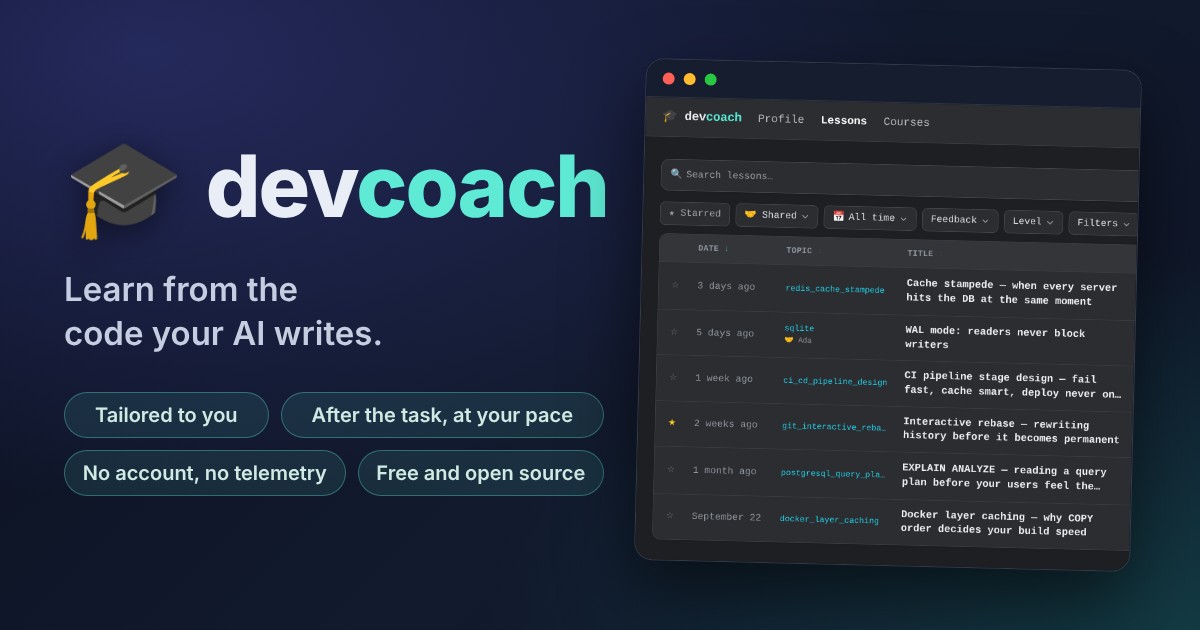
Learn from the code your AI writes: one short, local lesson on what you don't know yet.
Runs on your machine from its package; the steps are below.
What it does
- Reads
- Writes
- High impact
At most: creates or changes data: records, files, settings.
What it costs
FreeOdel charges nothing per call. The publisher may charge for its own service.
Runs locally over stdio
This server isn't hosted — your MCP client launches it from a package registry. Use one of the commands below, or drop the config into your client (e.g. Claude Desktop).
Run
npx -y devcoach
MCP client config
{
  "mcpServers": {
    "devcoach": {
      "command": "npx",
      "args": [
        "-y",
        "devcoach"
      ]
    }
  }
}




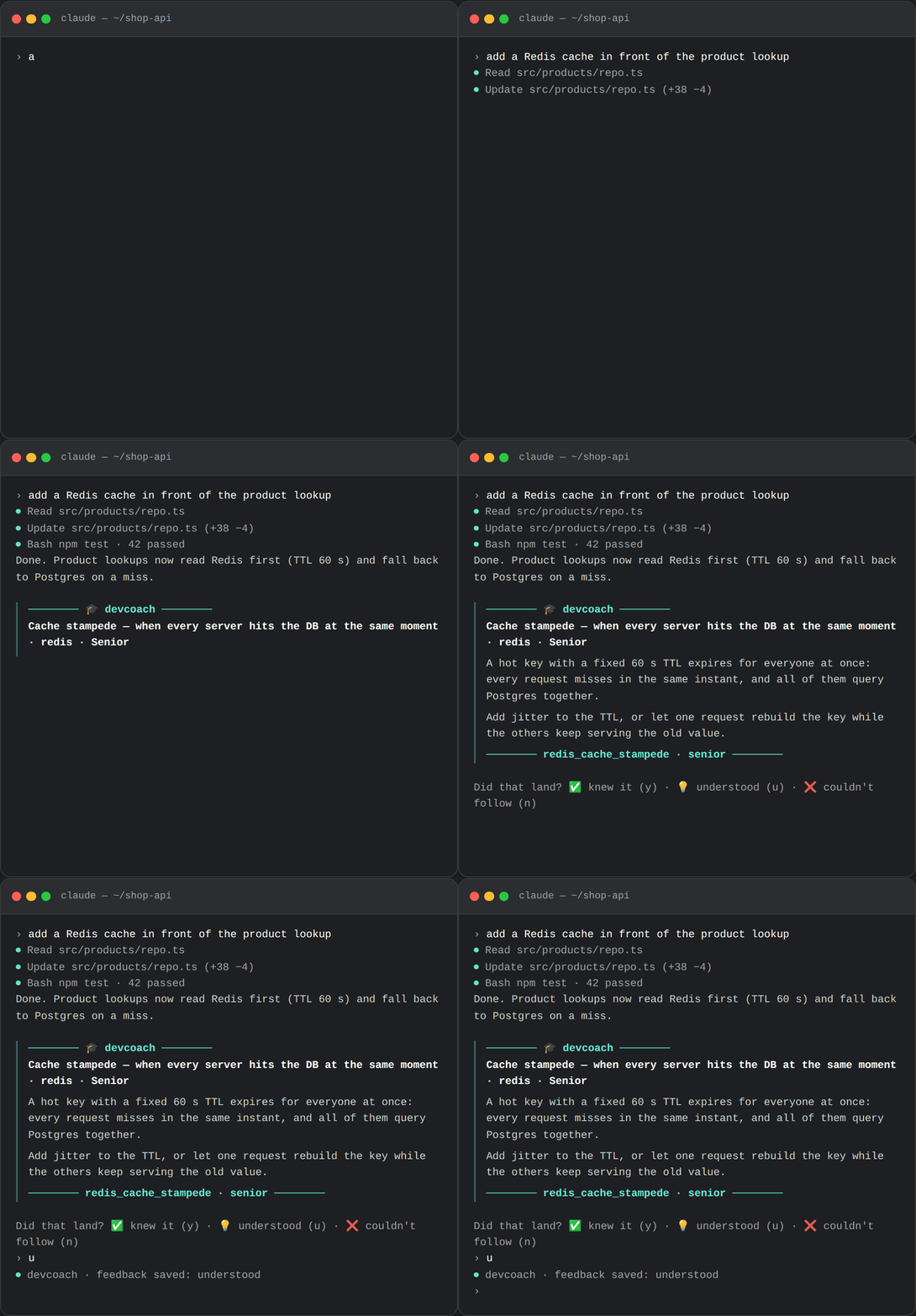
AI agents now write much of our code, which makes it easy to ship more while understanding less. devcoach works inside Claude Code, Gemini CLI and Codex CLI: when your agent finishes a task and a lesson is due, it teaches you one short lesson on something that task touched and you don't know yet, pitched at your level. Free, open source and local: no account, no telemetry.
Install in Claude Code (needs Node.js 24 or newer). Type both lines in Claude Code:
/plugin marketplace add UltimaPhoenix/claude-plugins-marketplace
/plugin install devcoach@ultimaphoenix
Another agent, or the devcoach command line? See Install.
Install
The plugin, npx and npm need Node.js 24 or newer on your PATH. Homebrew, Scoop and the Windows installer install Node.js for you; the Claude Desktop extension runs on Claude Desktop's own. Agents on one computer share the same profile and lessons.
Claude Code plugin (recommended): the two lines above.
Homebrew (macOS, Linux), with the devcoach command line:
brew tap UltimaPhoenix/tap
brew trust --tap UltimaPhoenix/tap
brew install devcoach
devcoach install   # skip this line if you use the Claude Code plugin
Windows (beta): one PowerShell line installs devcoach, its own Node.js and the devcoach command line, then connects Claude Code and Claude Desktop (or use Scoop):
irm https://ultimaphoenix.github.io/dev-coach/install.ps1 | iex
With the Claude Code plugin, run $env:DEVCOACH_SKIP_CONNECT = "1" first, in the same window, so the
line skips devcoach install; then devcoach install --claude-desktop connects Claude Desktop.
| Also on | How |
|---|---|
| npx / npm (any OS) | npx -y devcoach install connects Claude Code and Claude Desktop |
| Claude Desktop | The .mcpb extension (beta) from the latest release, or any devcoach install above |
| Gemini CLI (beta) | devcoach install --gemini, with the devcoach command from above or npm install -g devcoach |
| Codex CLI (beta) | devcoach install --codex, with the devcoach command; its hooks run once you trust them in Codex |
| Cursor, Windsurf, Cline, Continue, Zed | npx -y devcoach mcp in the agent's MCP config (the guide has the file and key for each), or io.github.UltimaPhoenix/devcoach from the MCP Registry |
| claude.ai web | Not supported: claude.ai cannot run a local MCP server |
devcoach wires automatic lessons only into Claude Code, Gemini CLI and Codex CLI. In Claude Desktop and the other agents, say set up devcoach once, then ask for a lesson when you want one (teach me something from what we just did).
With the plugin, don't run devcoach install: it would add a second devcoach server and skill next to
the plugin's. After brew upgrade, scoop update devcoach or an npm update, run devcoach install
again to refresh the hooks and the skill (the Windows one-liner does it for you).
What happens next
- One question to start. After your first task, devcoach asks how to build your profile: Automatic (recommended), Automatic (Deep), Guided, or Import backup. Automatic reads your local Claude Code history (projects, their files and activity; never what you typed) and asks nothing more. → Onboarding
- A lesson when one is due. The pace is yours to set. By default devcoach looks for a lesson about every 10 interactions in a chat session and teaches at most 2 a day, at least 4 hours apart, never in plan mode. → Configuration
- One key to answer.
yknew it (on a lesson above your level, that topic goes up a point) ·uunderstood (no change) ·ncouldn't follow (the lesson becomes the seed of a step-by-step course, which the coach offers once). → The feedback loop
Look back at your lessons, your knowledge map and your courses in the local web dashboard
(devcoach ui, or /devcoach:ui with the plugin) or the
command line, and
share a lesson with a teammate as text, a
link or a file.

Local by design. Your coaching data lives in ~/.devcoach/: a SQLite database, your coaching
notebook and your course files. No account, no telemetry, no update check. It leaves your machine
only when you share a lesson or publish a course; as in any session, what your agent reads from
devcoach becomes part of its conversation with its model.
→ Privacy & security
Documentation
The guides live at ultimaphoenix.github.io/dev-coach:
- Coaching in your agent: onboarding, your first lesson, the feedback loop, what to expect
- Courses · Sharing lessons · Web dashboard · Command line (CLI)
- Install: every method, agent by agent
- Configuration: settings, pacing, where your data lives, backups, environment variables
- How it works: the coaching loop, how a lesson is chosen, depth calibration
- Troubleshooting:
devcoach doctor, common errors, known limitations, uninstalling - MCP server reference · Privacy & security · FAQ
- Why devcoach · Vision & roadmap: free, local, not commercialized; ideas we're exploring next
Community & contributing
- Star the repo to help others find it
- GitHub Issues: feature requests, feedback and questions
- CONTRIBUTING.md: quick start, architecture rules, testing, branches and releases
Built on the official Model Context Protocol TypeScript SDK, Node's embedded node:sqlite, Hono (web dashboard), and Commander (CLI).
License
Copyright (C) 2026 UltimaPhoenix
devcoach is licensed under the GNU Affero General Public License v3.0 (AGPL-3.0-only).
You may use, modify, and distribute it — provided that any modified version you distribute, or run
as a network service, is also released as open source under the AGPL. There is no commercial
license on offer today; if you need to embed devcoach in a closed-source product,
open an issue and ask.
devcoach is and stays 100% free to download, install, and use — for everyone, forever, including at work and on commercial projects. Using devcoach does not put your code under the AGPL: it runs as a separate process over stdio/MCP, so your own projects keep whatever license you choose. Examples and the details: License & commercial use.