Listed from the MCP registry; nobody on Odel publishes it.

EasyEDA Pro
MCP server and EasyEDA Pro extension bridge for live project assistance.
Runs on your machine from its package; the steps are below.
What it does
- Reads
- Writes
- High impact
At most: creates or changes data: records, files, settings.
What it costs
FreeOdel charges nothing per call. The publisher may charge for its own service.
Runs locally over stdio
This server isn't hosted — your MCP client launches it from a package registry. Use one of the commands below, or drop the config into your client (e.g. Claude Desktop).
Run
npx -y @vlabsoft/easyeda-pro-mcp
MCP client config
{
  "mcpServers": {
    "easyeda-pro": {
      "command": "npx",
      "args": [
        "-y",
        "@vlabsoft/easyeda-pro-mcp"
      ]
    }
  }
}
EasyEDA Pro MCP
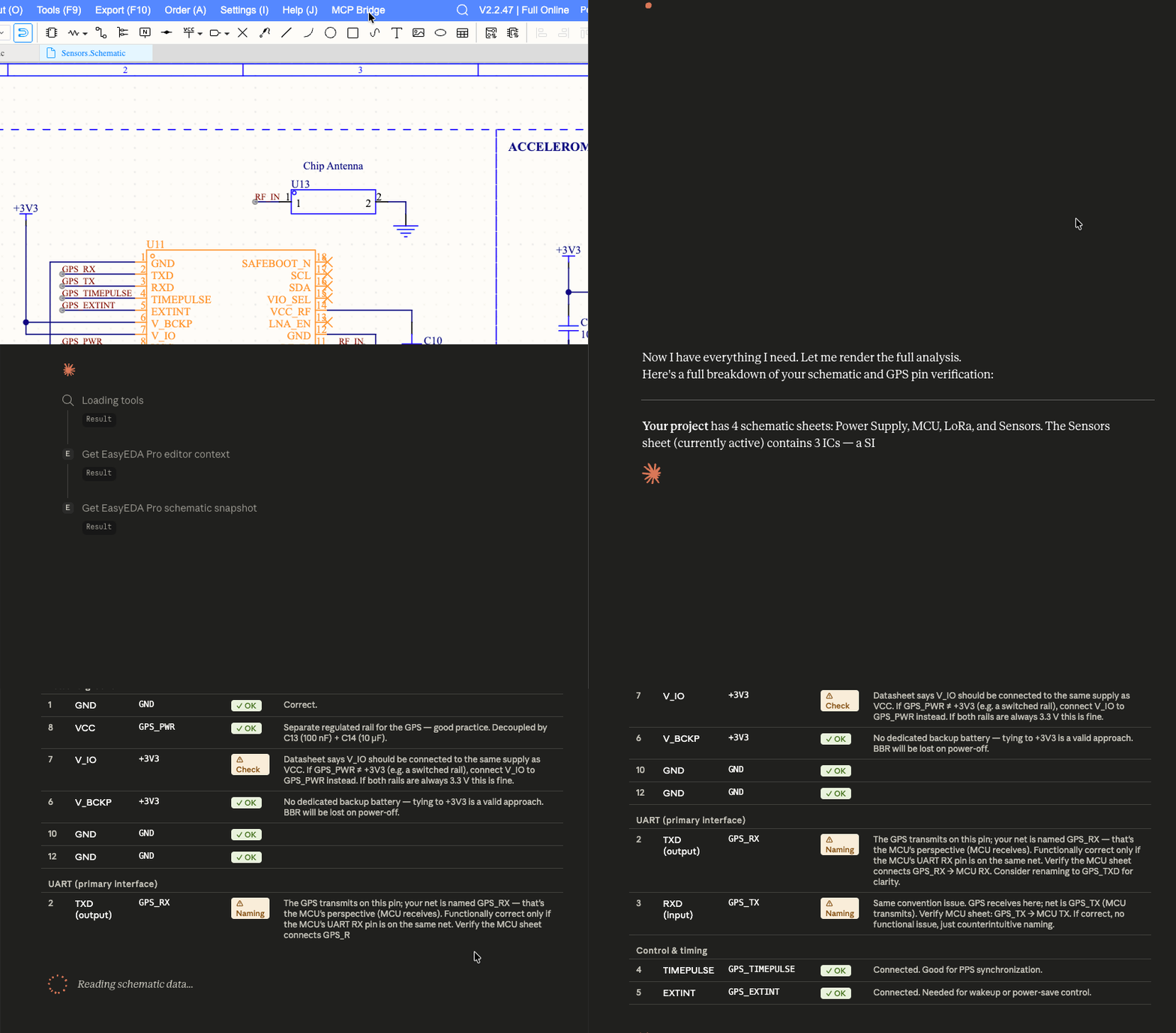
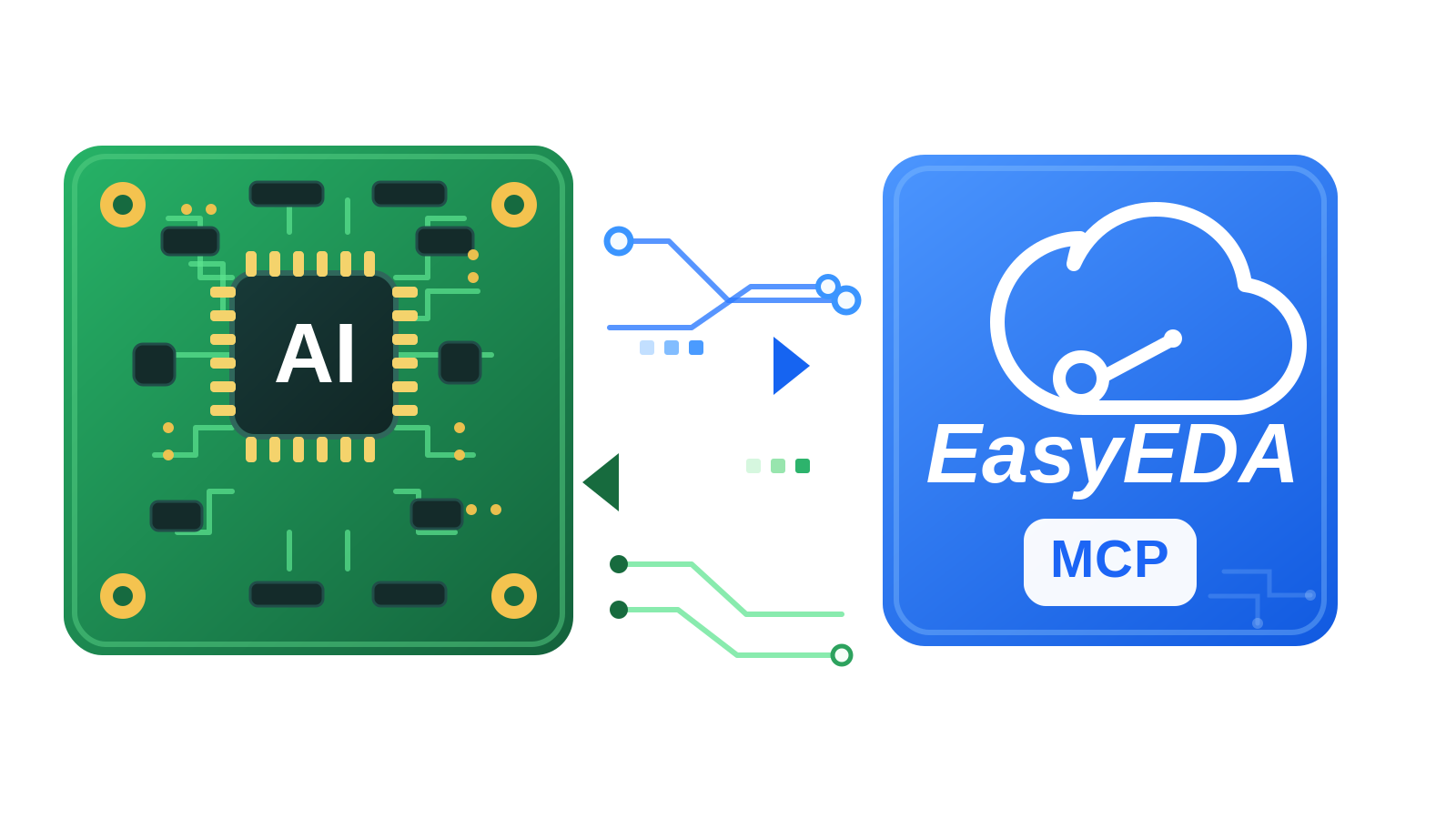
Connect Claude, Codex, Cursor, VS Code, Antigravity, and other Model Context Protocol (MCP) clients to the live EasyEDA Pro project already open on your machine.
Independent open-source MCP bridge for live schematic and PCB workflows in EasyEDA Pro.








Quick Start · AI Client Setup · Tools · Troubleshooting · Releases
Key Features
- Live schematic & PCB introspection — Give AI agents structured access to your open EasyEDA Pro project without screenshots or manual exports.
- Circuit tracing & verification — Trace nets and component pins, find unconnected pins, and run programmatic assertions (pull-ups/downs, decoupling capacitors, USB-C
5.1kCC paths). - Native PCB DRC rule management — Read active design rules, saved profiles, and net/region tables, preview changes safely, and apply confirmed rule updates with readback verification.
- Editor navigation & fabrication exports — Focus components or regions directly in EasyEDA Pro and export BOM, Netlist, Gerber, and PDF files.
- Local & read-first by default — Runs locally over
stdioandws://127.0.0.1:8765. Inspection is read-only; mutating actions require explicit human confirmation.
Requirements
- Node.js
20or newer - EasyEDA Pro
2.3.0or newer - An MCP-compatible AI client (Claude Code, Codex, Claude Desktop, Cursor, VS Code, Antigravity, Windsurf, etc.)
Getting Started
EasyEDA Pro MCP has two local parts: the EasyEDA Pro Extension (.eext) inside the editor and the MCP Server (@vlabsoftware/easyeda-pro-mcp) launched by your AI client.
1. Automatic Setup (Fastest — No Git Clone)
Run one command in your terminal:
npx -y @vlabsoftware/easyeda-pro-mcp setup
This automatically detects and configures installed AI clients (Claude Desktop, Cursor, VS Code, Antigravity, Windsurf, Claude Code, Codex) with platform-safe commands and exports easyeda_mcp_bridge.eext to your ~/Downloads folder (or current directory).
Building from source instead?
git clone https://github.com/VLab-Software/easyeda_mcp.git
cd easyeda_mcp
npm install
npm run setup:local
npm run setup:clients   # Optional: points detected AI clients to this local build
This builds dist/index.js, build/dist/easyeda_mcp_bridge.eext, and build/dist/easyeda-pro-mcp.mcpb.
2. Install the EasyEDA Pro Extension
- In EasyEDA Pro, open Extensions Manager and import the exported
easyeda_mcp_bridge.eext(or downloadeasyeda_mcp_bridge.eextfrom Releases). - Enable Allow interactive with external for EasyEDA MCP Bridge.
- Open your schematic or PCB project (if needed, click MCP Bridge -> Reconnect in the top toolbar).
3. Or Add the MCP Server Manually / 1-Click
If you skipped npx -y @vlabsoftware/easyeda-pro-mcp setup, use a 1-click badge above or add the standard npx config below:
{
  "mcpServers": {
    "easyeda-pro": {
      "command": "npx",
      "args": ["-y", "@vlabsoftware/easyeda-pro-mcp"]
    }
  }
}
Windows JSON note: In GUI clients on Windows, use
"command": "cmd", "args": ["/c", "npx", "-y", "@vlabsoftware/easyeda-pro-mcp"]sonpx.cmdspawns cleanly.
Claude Code
Run in your terminal:
claude mcp add --scope user easyeda-pro -- npx -y @vlabsoftware/easyeda-pro-mcp
Codex
Run in your terminal:
codex mcp add easyeda-pro -- npx -y @vlabsoftware/easyeda-pro-mcp
Claude Desktop
- 1-Click Bundle: Download
easyeda-pro-mcp.mcpband double-click it to install in Claude Desktop. - Manual JSON: Or add the standard config above to
claude_desktop_config.json, then fully quit and reopen Claude Desktop:- macOS:
~/Library/Application Support/Claude/claude_desktop_config.json - Windows:
%APPDATA%\Claude\claude_desktop_config.json(use"command": "cmd", "args": ["/c", "npx", "-y", "@vlabsoftware/easyeda-pro-mcp"])
- macOS:
Cursor
Click Install in Cursor, or add the standard config above to ~/.cursor/mcp.json (global) or .cursor/mcp.json (project) and refresh servers in Cursor Settings -> MCP.
VS Code (GitHub Copilot)
Click Install in VS Code, or add to .vscode/mcp.json (or Command Palette -> MCP: Open User Configuration) and open Copilot Chat (Agent mode):
{
  "servers": {
    "easyeda-pro": {
      "type": "stdio",
      "command": "npx",
      "args": ["-y", "@vlabsoftware/easyeda-pro-mcp"]
    }
  }
}
Antigravity & Windsurf
- Antigravity: Run
npx -y @vlabsoftware/easyeda-pro-mcp setup --client antigravity(or add the standard config to~/.gemini/config/mcp_config.json), then click Refresh in Additional Options (...) -> MCP Servers. - Windsurf: Run
npx -y @vlabsoftware/easyeda-pro-mcp setup --client windsurf(or add the standard config to~/.codeium/windsurf/mcp_config.json), then refresh MCP servers in Cascade settings.
Your First Prompts
Verify that the bridge is connected and sees your open document:
Run easyeda_doctor and check whether the EasyEDA Pro bridge is healthy.
Once connected, try real hardware engineering workflows:
Inspect the open schematic with easyeda_schematic_snapshot and list any unconnected pins.
Verify USB1 with easyeda_verify_connections: check that CC1 and CC2 each have a 5.1k resistor to GND and VBUS is decoupled to GND.
Read the active PCB design rules with easyeda_get_drc_rules and summarize track width, via size, and clearance limits.
More examples: Practical Workflows
Available Tools (32)
| Category | Tools |
|---|---|
| Status & Context | easyeda_doctor · easyeda_live_status · easyeda_get_context · easyeda_get_selection |
| Schematic Inspection & Search | easyeda_schematic_snapshot · easyeda_list_schematic_components · easyeda_get_component_pins · easyeda_find_component · easyeda_find_net · easyeda_search_library |
| Circuit Tracing & Verification | easyeda_trace_net · easyeda_trace_component · easyeda_find_unconnected_pins · easyeda_validate_schematic_area · easyeda_verify_connections |
| PCB Layout & DRC Rules | easyeda_run_drc · easyeda_get_pcb_layers · easyeda_get_routing_status · easyeda_list_pcb_components · easyeda_highlight_net · easyeda_get_drc_rules · easyeda_prepare_drc_edit · easyeda_get_drc_edit_result |
| Navigation & Exports | easyeda_navigate_component · easyeda_navigate_region · easyeda_zoom_board · easyeda_export_cpl · easyeda_export_bom · easyeda_export_netlist · easyeda_export_gerber · easyeda_export_pdf |
| Confirmed Actions | easyeda_confirmed_action (save, importChanges, autoroute, autolayout, editDrcRules) |
Full parameter schemas and examples: Tools Reference · DRC Rule Editing
Documentation
| Guide | When to use |
|---|---|
| Quick Start | Shortest path from zero to a working bridge |
| AI Client Setup | Detailed setup for Claude Code, Codex, Claude Desktop, Cursor, VS Code, Antigravity & others |
| Practical Workflows | Copy-pasteable prompts for schematic review, circuit assertions, DRC, and exports |
| Upgrading & Compatibility | Server/Extension version matrix and 3-step upgrade checklist |
| Troubleshooting | Common fixes and bridge error code reference |
| Architecture & Safety Model | How the local WebSocket bridge and confirmation gates work |
| Changelog & Releases | Version history and prebuilt .eext / .mcpb downloads |
Development & Local Testing
npm run setup:local          # Build MCP server, extension bundle, .eext, and .mcpb packages
npm run setup:clients        # Point detected AI clients to this local checkout (--local)
npm test                     # Run Vitest unit suite
npm run typecheck            # Typecheck MCP server
npm run typecheck:extension  # Typecheck EasyEDA Pro extension
npm run test:smoke:drc       # End-to-end stdio + WebSocket DRC smoke test
npm run docs:build           # Build VitePress documentation site
Security, Disclaimer & License
- Localhost & Live Session: Operates on the live project open in EasyEDA Pro over
127.0.0.1:8765(no offline.eproparsing or commercial/order automation). Do not expose the WebSocket port to untrusted networks — see SECURITY.md. - Non-Affiliation: Independent open-source project. Not affiliated with, endorsed by, or sponsored by EasyEDA, JLCPCB, or Shenzhen Jia Chuang Ban Technology Co., Ltd. EasyEDA and EasyEDA Pro are trademarks of their respective owners.
- Sponsorship & Support: If you find this project useful, consider supporting its development via GitHub Sponsors.
- Contact & License: victor.freitas@vlabsoft.com · Released under the MIT License.